Table of Contents
How to Read Data from LS Electric Panel
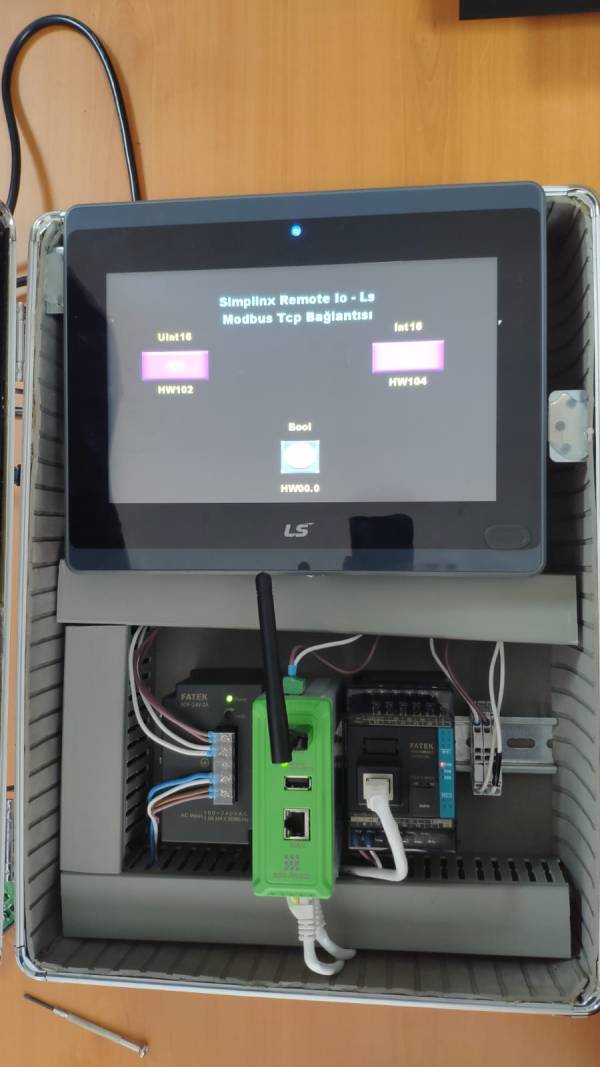
As shown above, it is possible to read values directly from the LS Electric panel that supports Modbus TCP communication without the help of a PLC or similar device.
After the data is read, it can be recorded, analyzed and sent to the cloud.
Required Hardware List
- SMX-RNS02
- LS Electric eXP60-TTA/DC Panel
- 24V Power Supply
- Ethernet Cable (1m)
Required Software
- SX-Client (www.simplinx.net)
- XP Builder
Installing the Hardware
- Connect SMX-RNS02 (LAN) and LS Electric panel with Ethernet cable
- It is assumed that the LS Electric panel is pre-installed (IP assignment etc …).
- Make power connections of SMX-RNS02 and LS Electric panel (24V)
- Energize the power supply
Remote Access
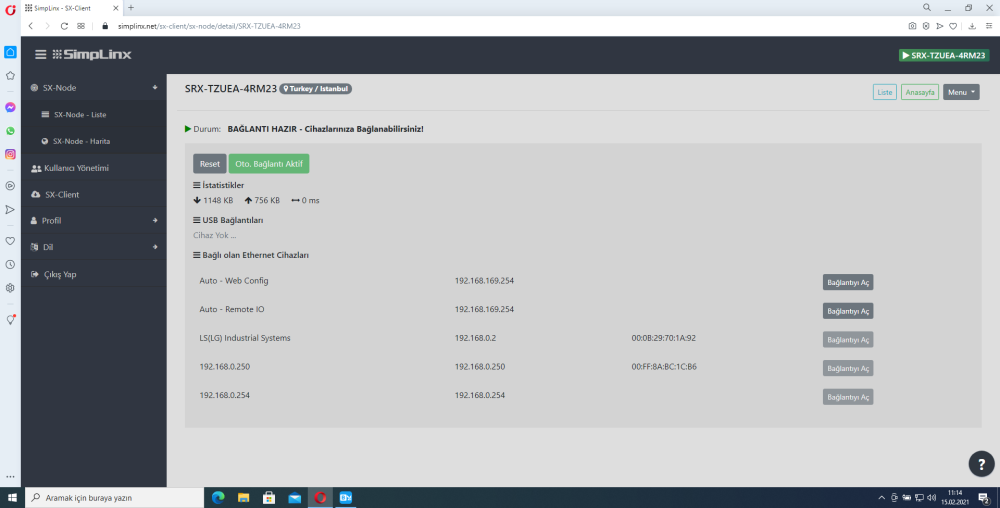
Establish a remote connection with your device. After the remote connection is established, the ethernet and USB devices connected to your device will be listed as shown in the photo below. Make sure the LS Electric Panel Ethernet connection is visible.
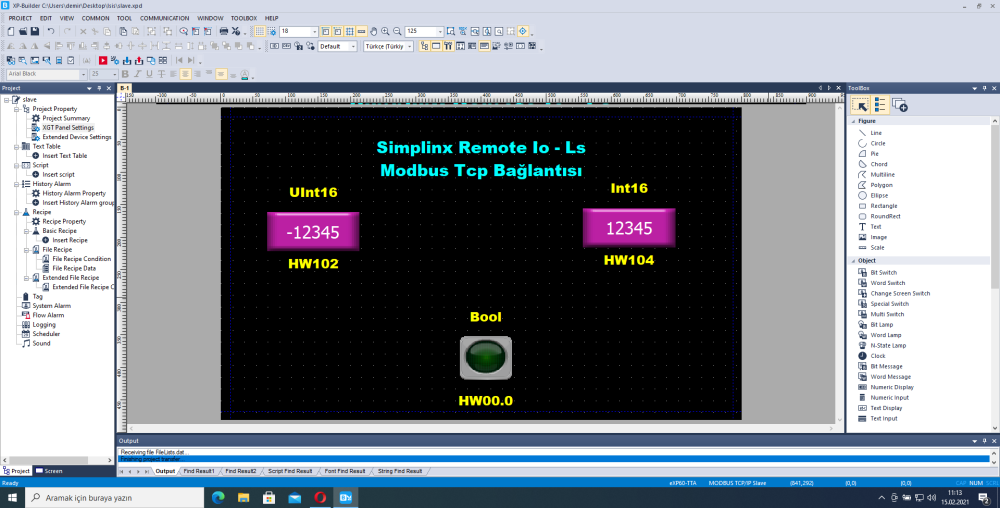
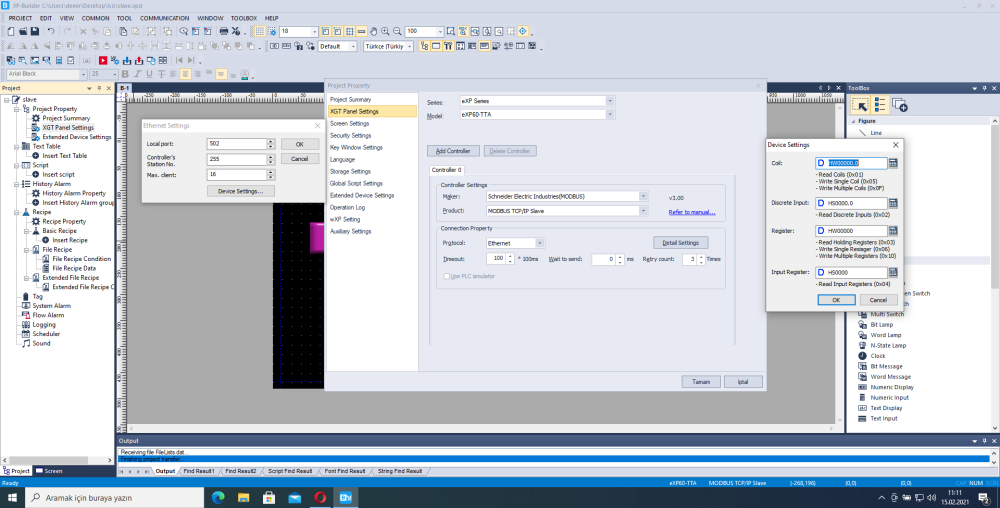
Open the XP Builder program. Create a new project or open your existing project. Connect to LS Electric Panel and enter necessary settings for Modbus TCP communication. Test your connection.
Read Data
- Open the Remote-IO application running on SMX-RNS02
- You can refer to the related user documentation for the Remote IO
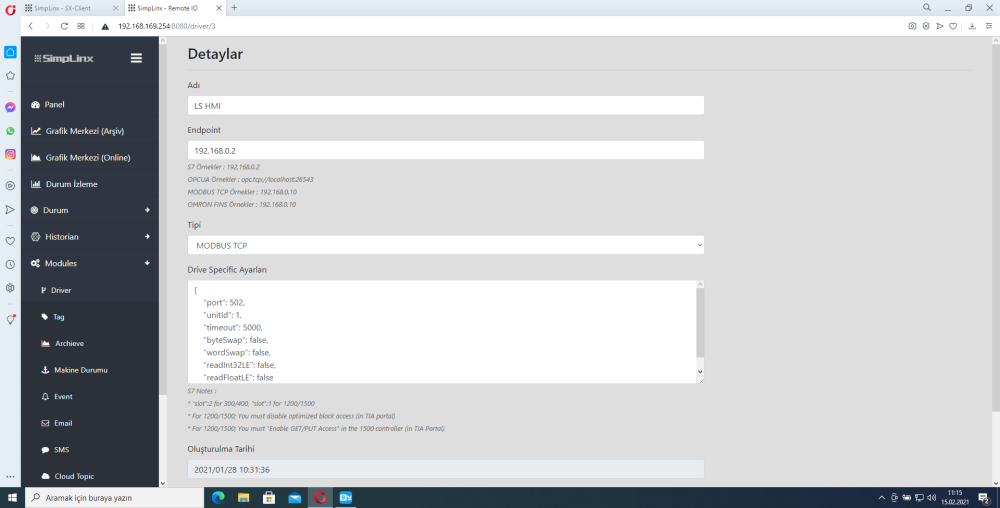
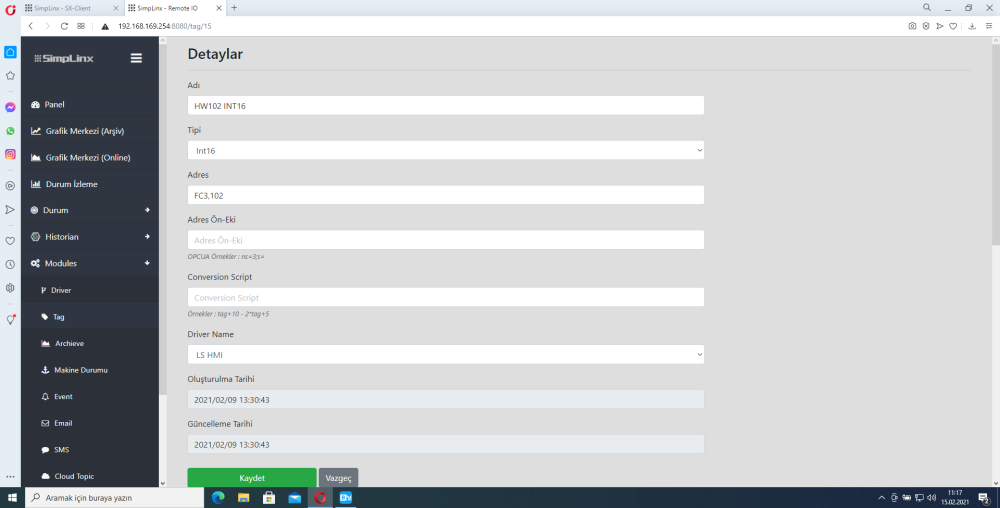
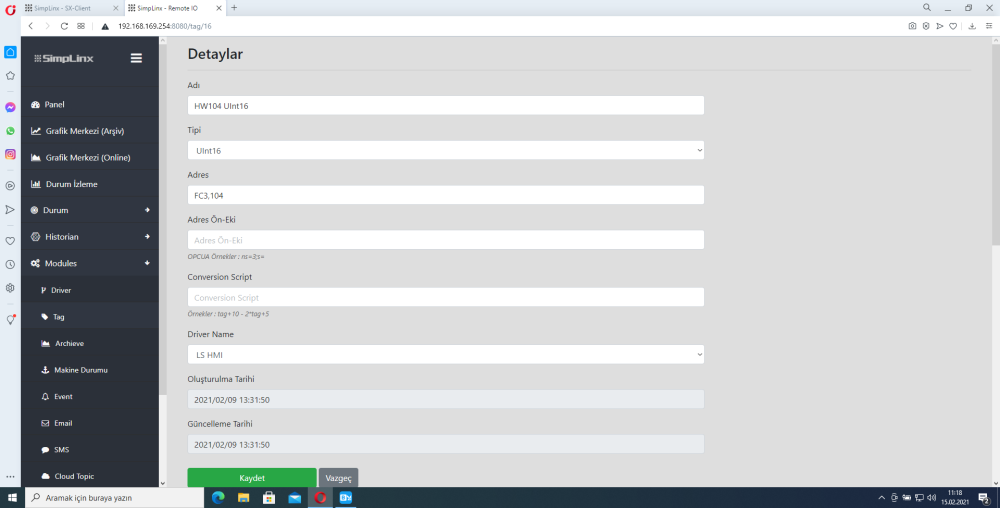
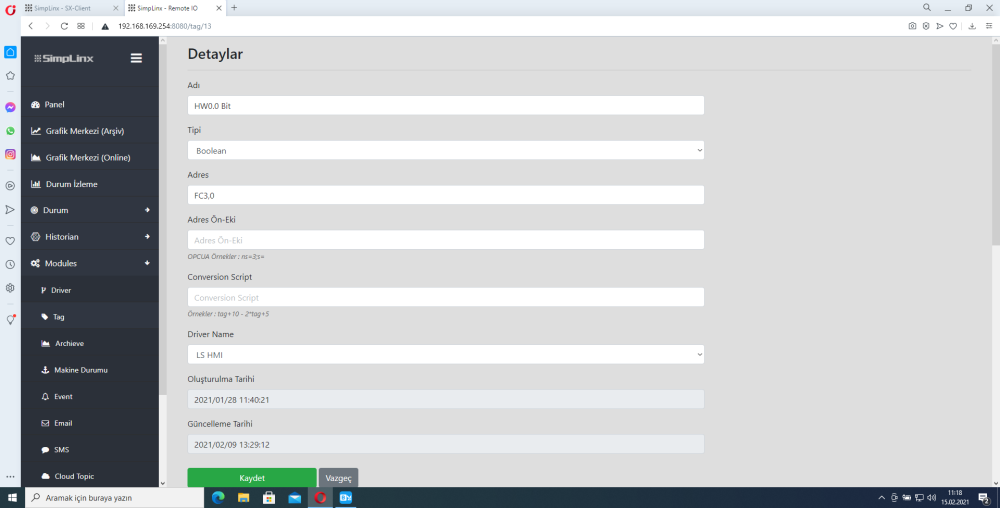
- You can follow the steps shown in the photos below in order.
Add a new Driver
Create your tags
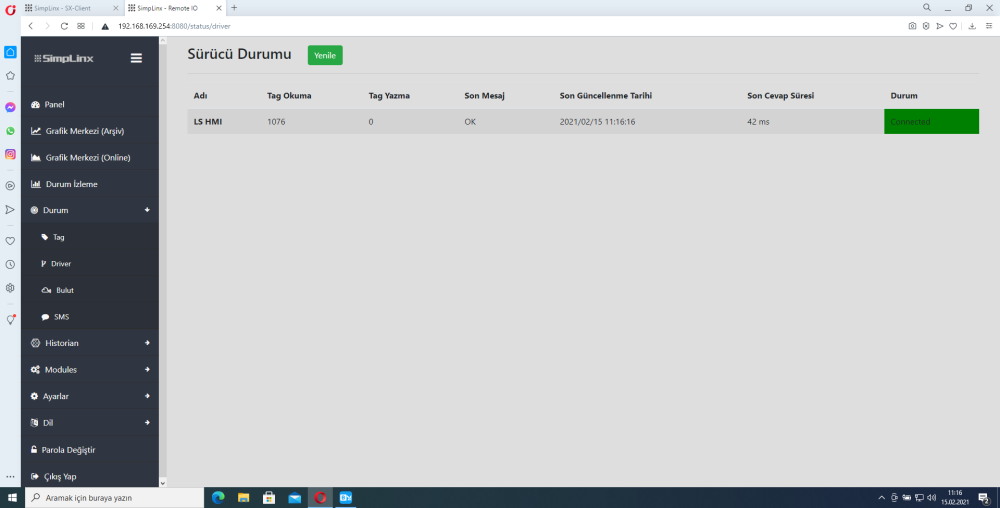
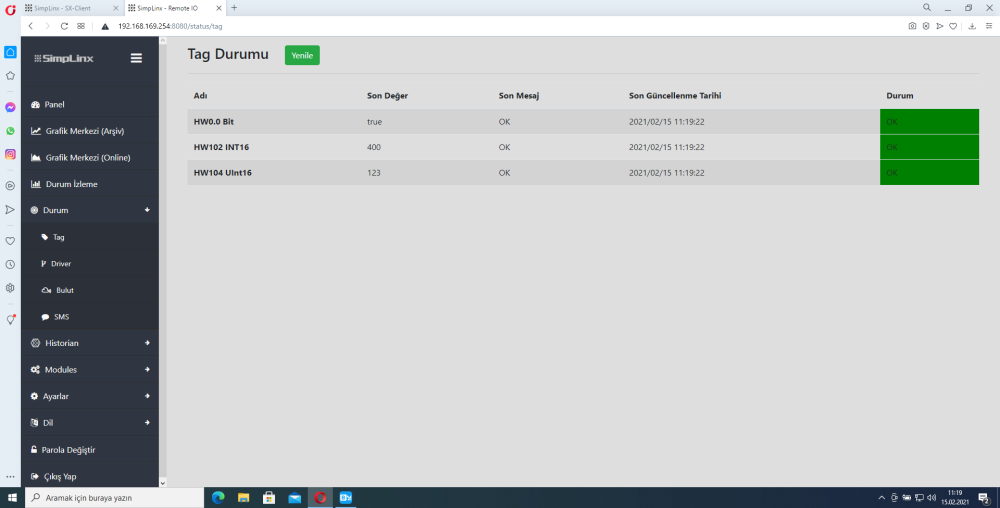
Check Driver & Tag statuses from Status Pages
References
- man-en-smx-rns02.pdf - SMX-RNS02 User Manual
- man-en-remote-io.pdf - Remote IO User Manual