How to Read Data With Modbus RTU
Modbus RTU Master Device connection to Modbus RTU Slave Device:
- Select “Modules” category from menu.
- Select “Driver” to connect Modbus RTU Slave Device.

- In “Drivers” page, click plus '+' button to add new driver.

- Name: Write any name you like to describe connection, for example Modbus_RTU
- Endpoint: Write port=0 or port=1 to connect Modbus Slave Device. (port=0 → Upper USB Port. port=1 → Bottom USB Port.)
- Type: Choose MODBUS RTU for connection type.
- Driver Specific Options: After choosing MODBUS RTU type for connection, default driver specific options will be appear. Set correct port, unitId and other components. If default values are correct, leave it like that.
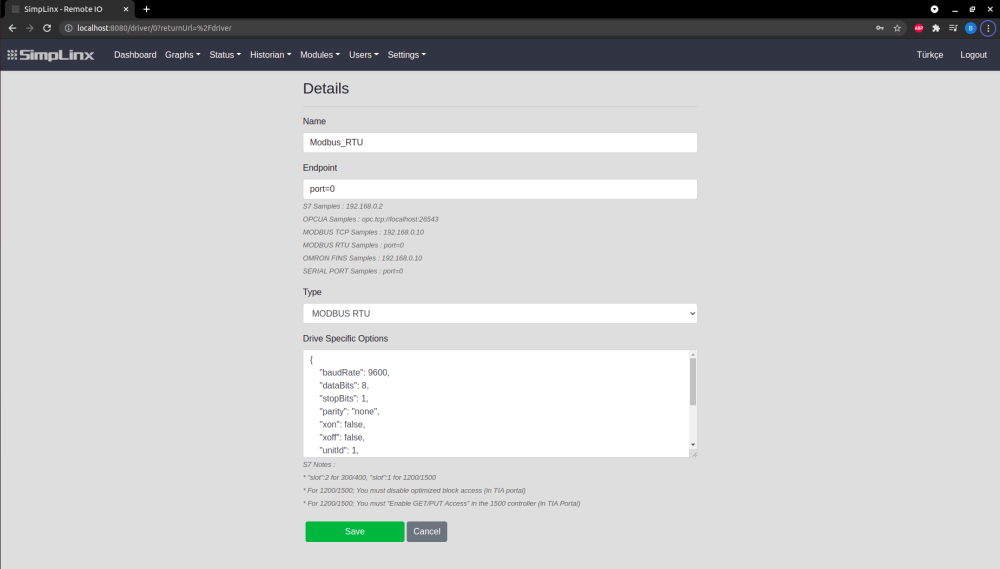
- Then click “Save” button to establish connection.
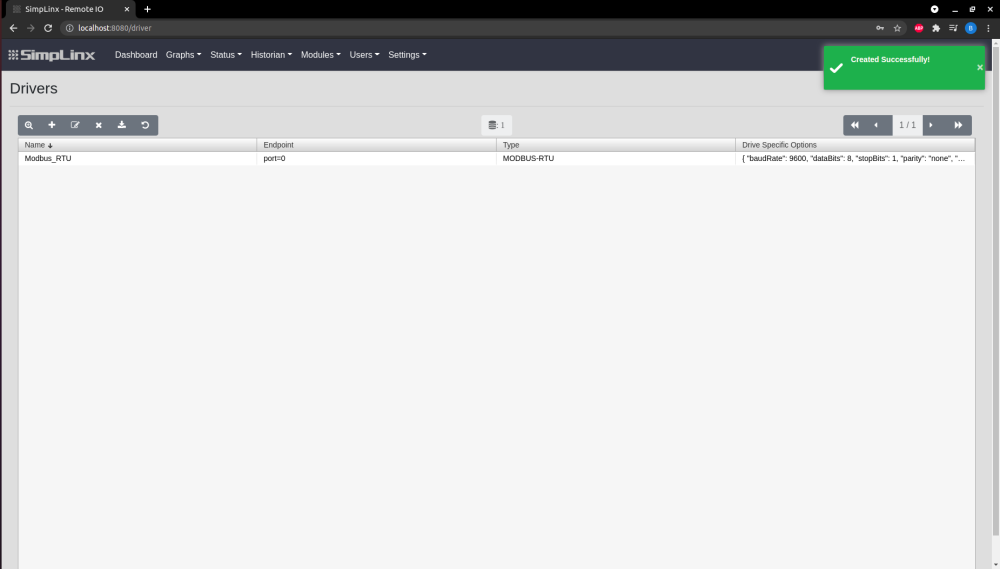
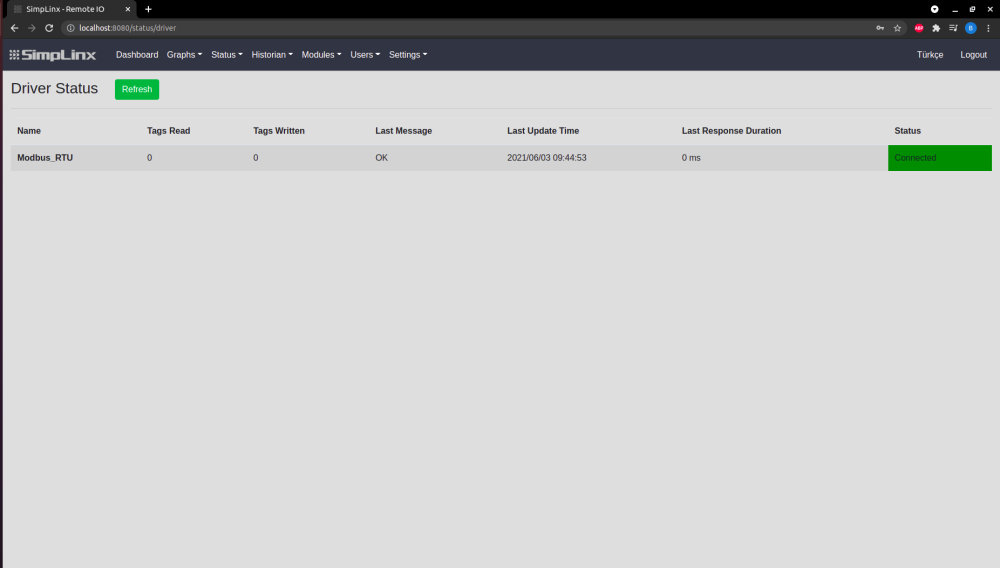
- To see connection established, select “Status” category from menu then click “Driver” option.
- Driver name, last message and status are shown in this page, if connection is completed, green connected bar will be shown.
- After connection established, tag must be added to driver. To do that:
- Select “Modules” from menu, then click “Tag” option.
- In “Tags” page, click plus “+“ button to add new tag.

- “Details” page will be shown after clicked ”+” button.
- In this page:
- Name: Choose any name you like to describe tag.
- Type: Choose proper type for data.
- Address: Write tag address, to use proper tag address scroll down page and look for “Modbus Tag Format”
- Address Prefix: You can write address prefix.
- Conversion Script: In this area, you can do mathematical operations with tag.
- Driver Name: Choose correct Driver for Driver Name. In this example, Modbus_TCP.
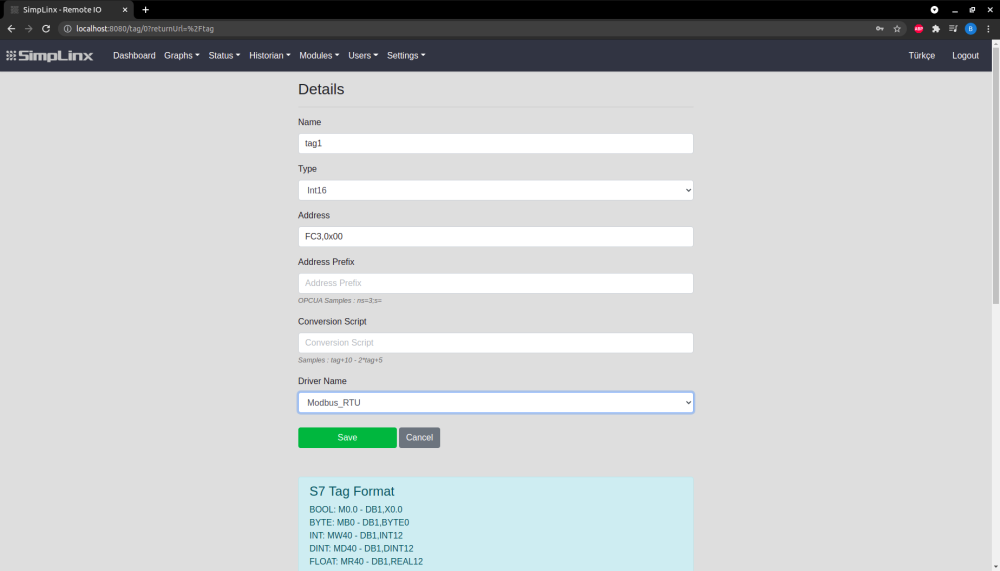
- Click “Save” button to add tag.
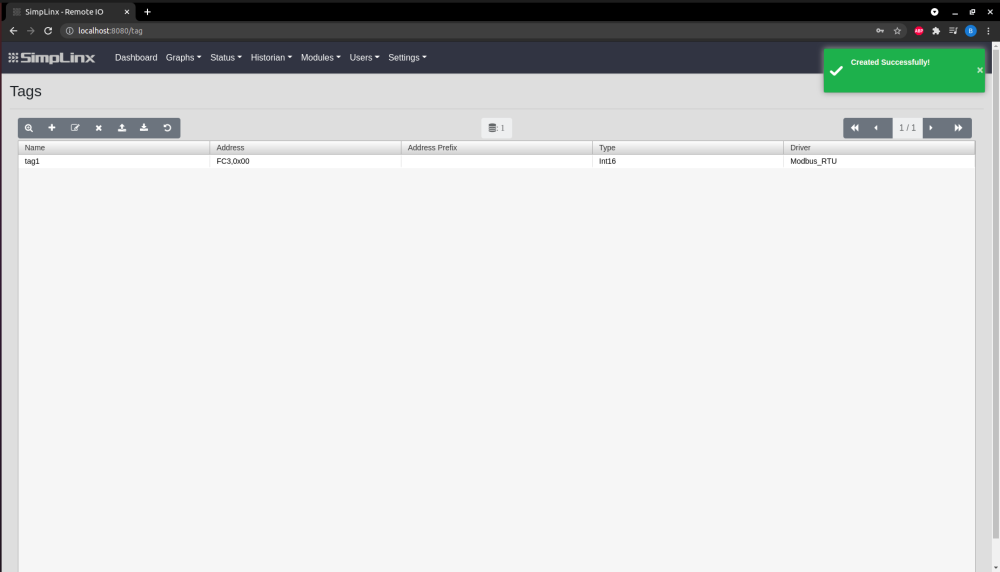
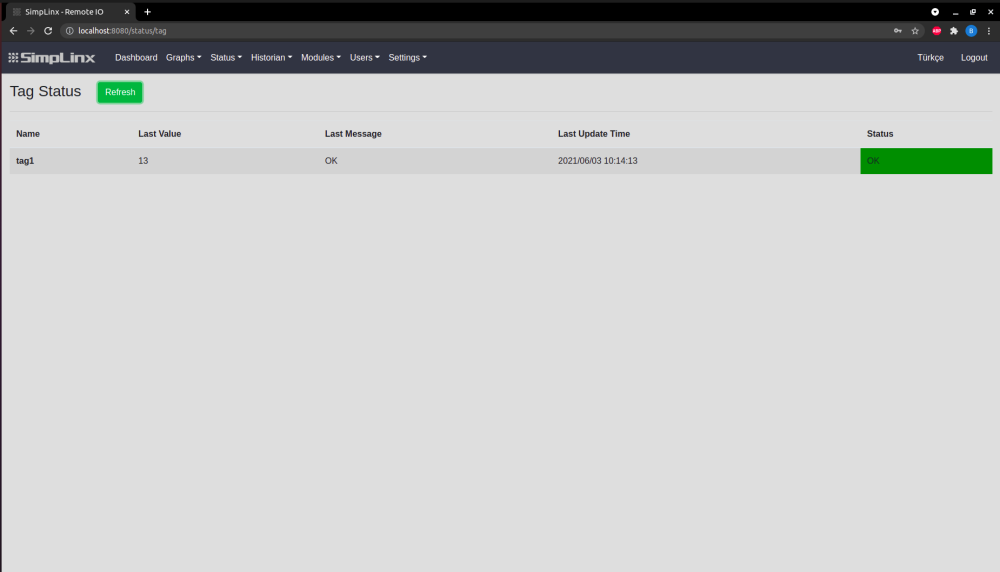
- After adding tag, to see connection established and coming datas, select “Status” category from menu then click “Tag” option.
- In this page: Name, Last Value, Last Message, Last Update Time and Status will be shown
- If tag is added to driver successfuly, green OK message will be appear under Status.
- Last Value: Last data will be shown coming from connection.
TROUBLESHOOTING:
- If connection is not completed successfully, follow these steps to test connection:
- Download Modbus Poll - Modbus Master Simulator
- After setup, click and start Modbus Poll Application.

- There is connection button, click and then select connect.

- After that connection screen pop up,
- Choose Modbus Serial Port for connection type
- Set correct Serial Settings
- Click RTU Mode.
- Then click “OK” button.
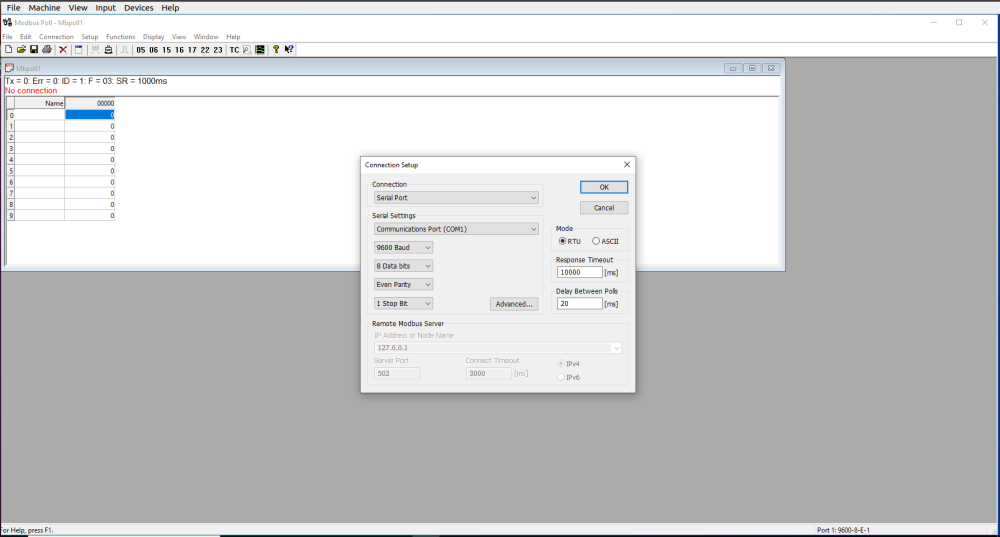
- Modbus master simulator is now connected successfully to Modbus slave device.
