
Delta Driver (USB)
With the SMX-RNS20 you can remotely access Delta drives over USB without any special network configuration.
Hardware used in this example:
- Simplinx SMX-RNS20
- Delta Drive (MS300)
- USB Cable
- 24 V Power Supply
Installing the Hardware
Section titled “Installing the Hardware”For detailed information refer to the technical documents of the respective devices.
- Make the power connections correctly — SMX-RNS20: 24 V DC, Delta Drive: 24 V DC.
- Connect the SMX-RNS20 and Delta Drive with a USB cable.
- Provide internet access to the SMX-RNS20.
- Energise the power supply and drive.
Required Software
Section titled “Required Software”- SX-Client (simplinx.net)
- Delta WPLSoft
Remote Connection
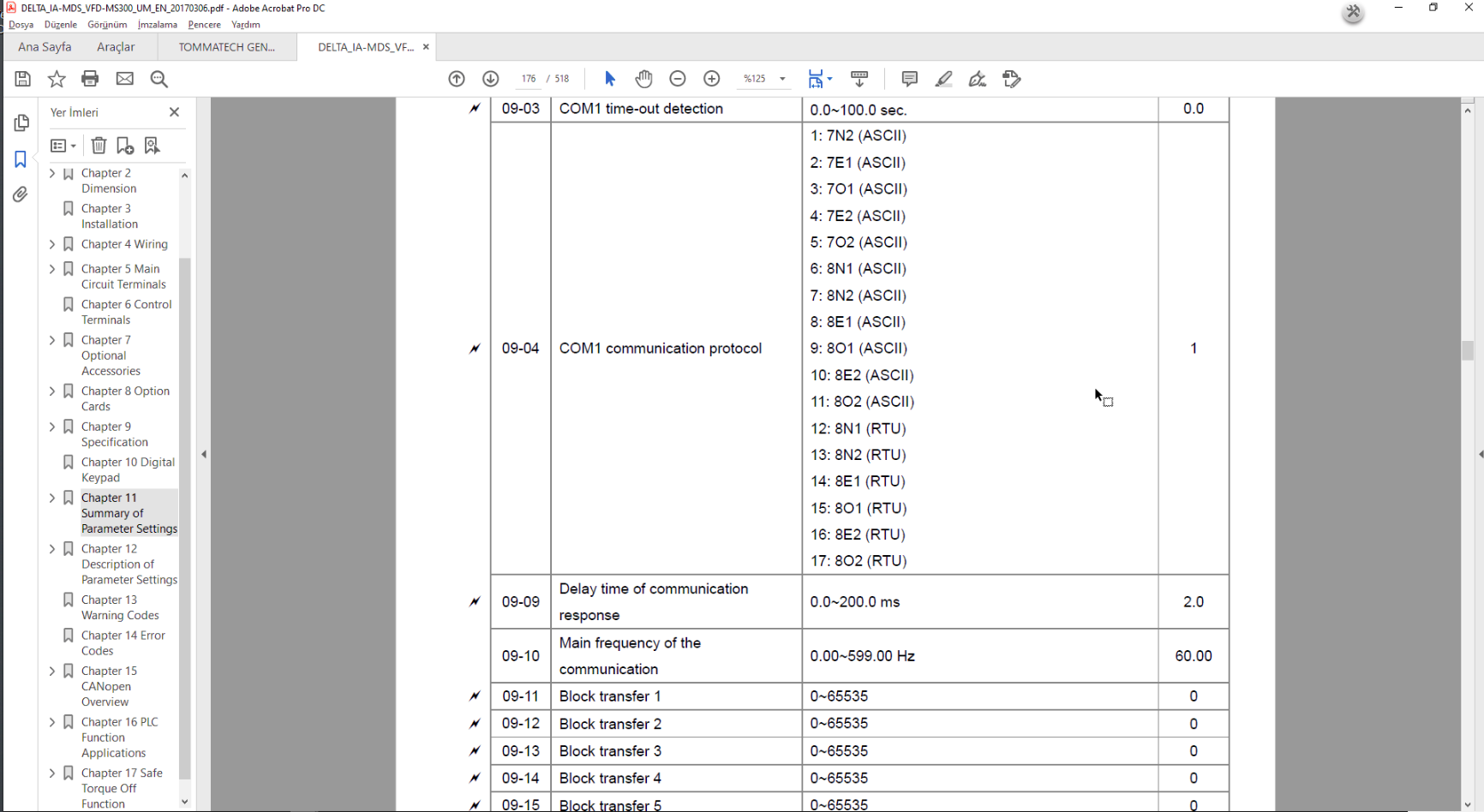
Section titled “Remote Connection”The communication interface of the Delta MS300 drive:
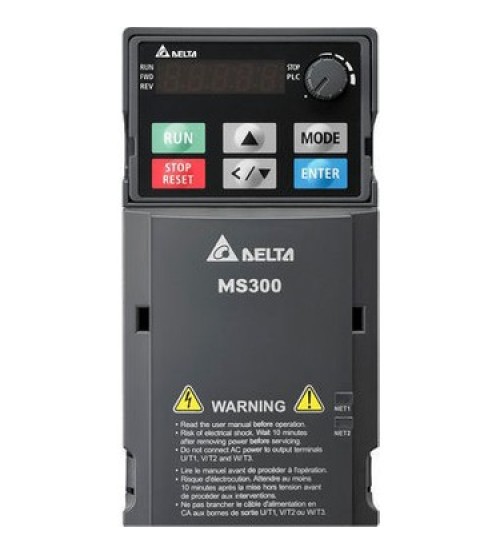 Delta MS300 — communication interface settings
Establish a remote connection with your device. After the connection is established, the Ethernet and USB devices connected to your device will be listed. Make sure the Delta Drive link is visible.
 SX-Client — Delta drive appears in the connected device list
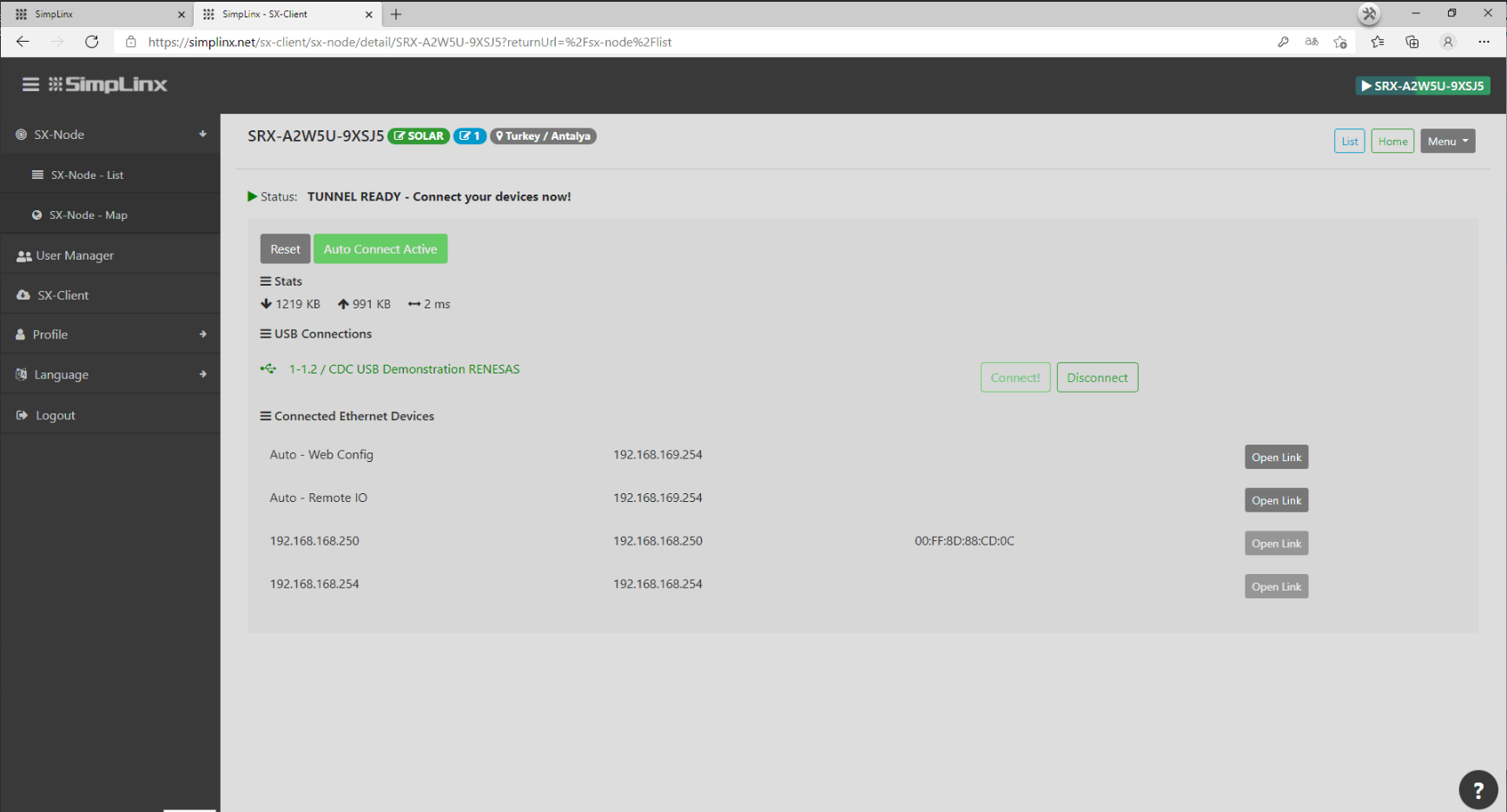 Confirm the Delta drive link is active
Open Device Manager on your computer and optimise the COM port settings.
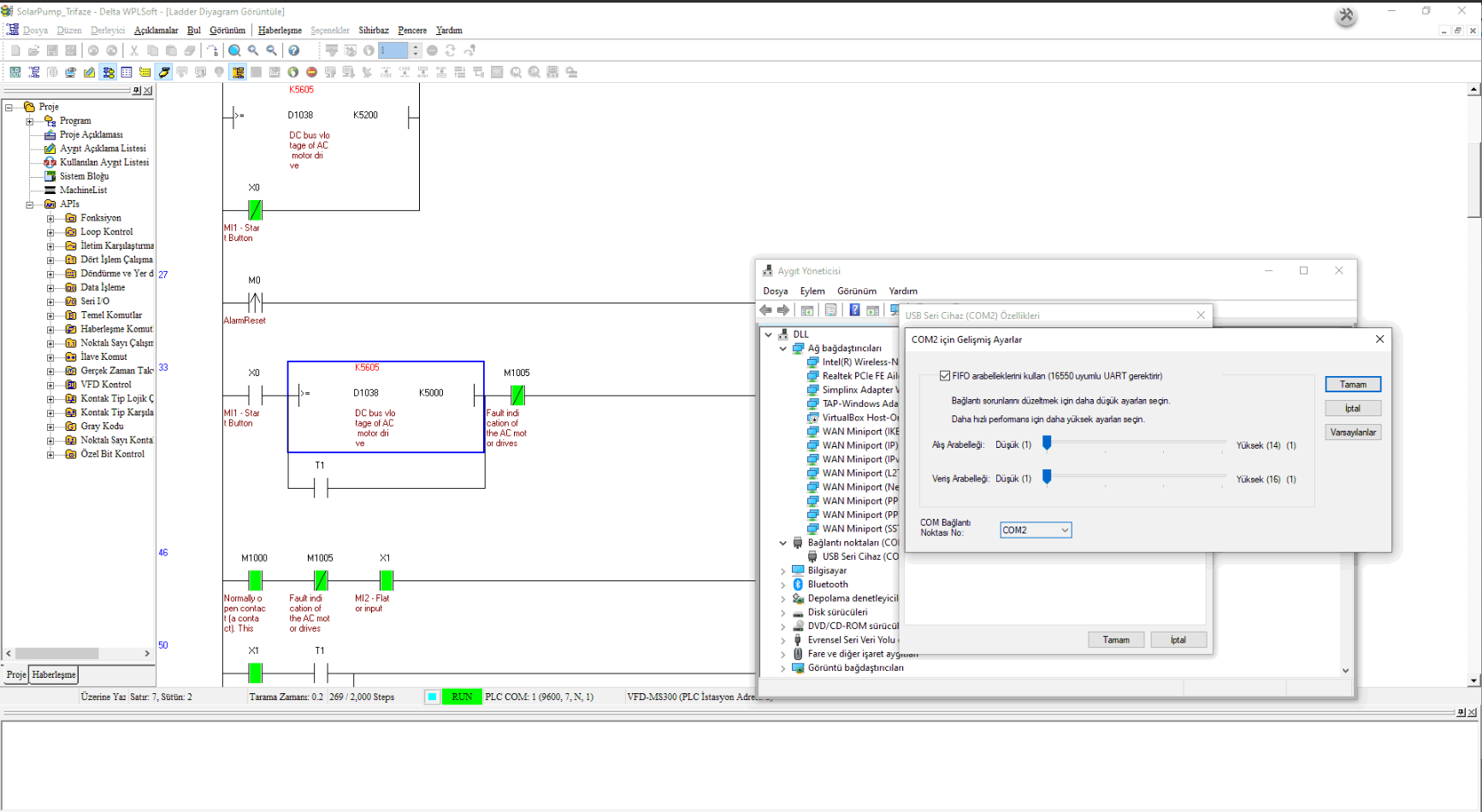 Device Manager — optimise COM port connection settings
Open Delta WPLSoft and create or open a project. In Communication Settings, set the connection type to COM and enter the communication parameters. Click Test Connection.
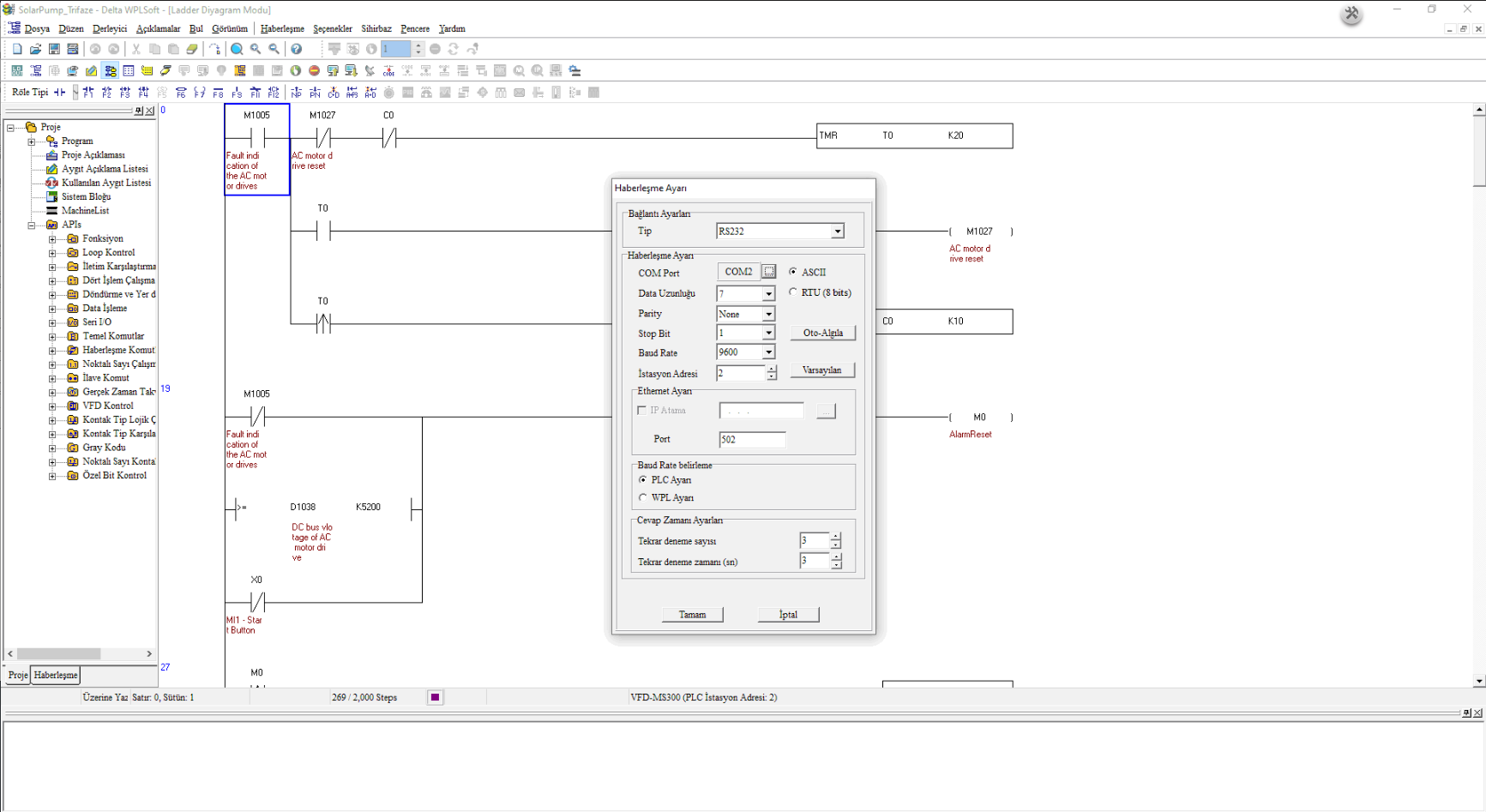 WPLSoft Communication Settings — select COM, enter settings, test connection