
Remote IO — Weidmüller Connection
Overview
Section titled “Overview”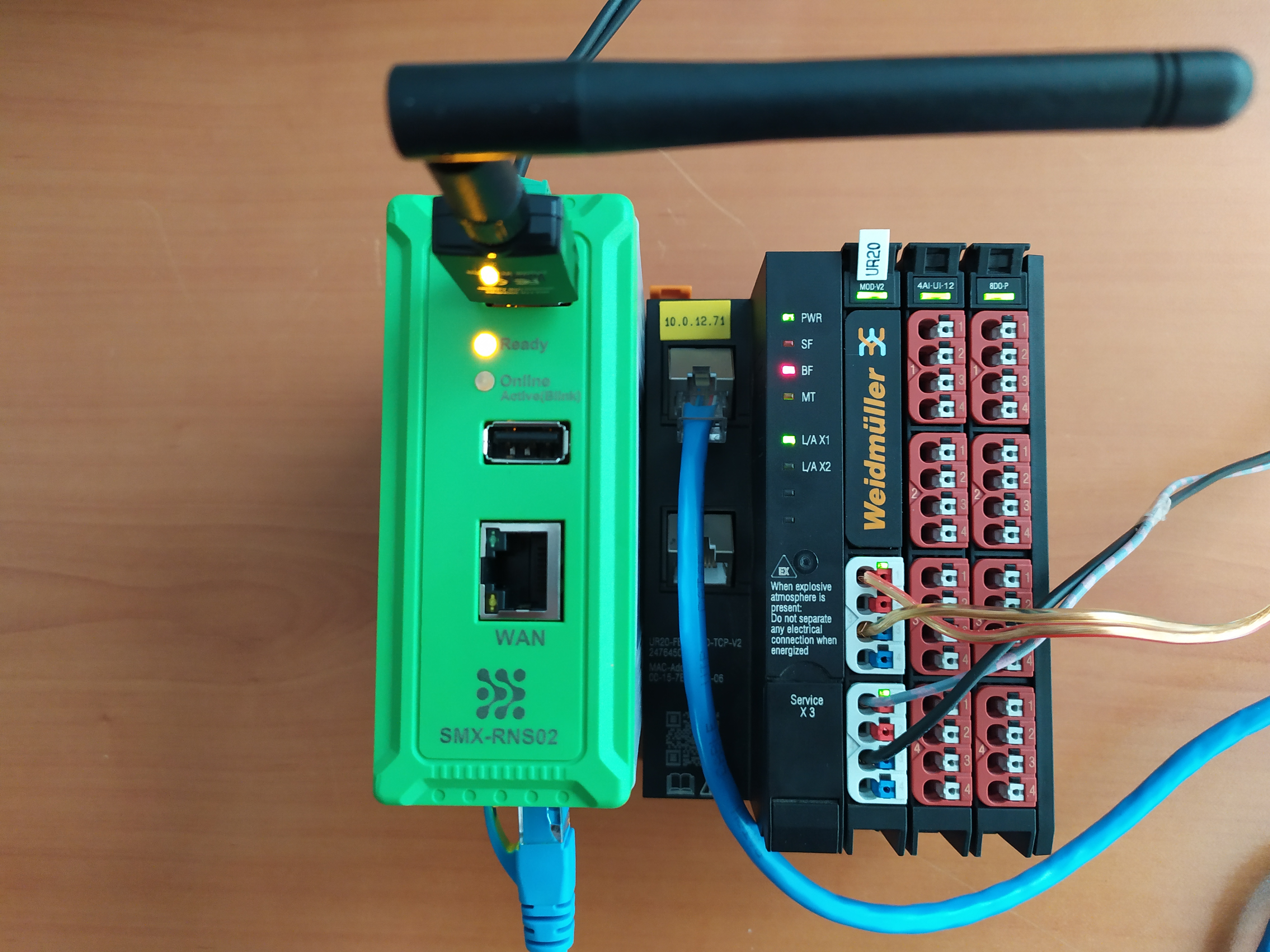 System setup — SMX-RNS20 reading data directly from Weidmüller UR20 module via Modbus TCP
Weidmüller u-mation controllers (UC20, UC300, PAC) typically expose a Modbus TCP server on their Ethernet port. The SMX-RNS20 can poll these devices periodically and make the data available in the cloud dashboard or forward it to MQTT/SQL destinations.
Weidmüller Controller Configuration
Section titled “Weidmüller Controller Configuration”- In the Weidmüller project editor (WUP Studio or u-remote UI), configure a static IP on the controller.
- Enable the Modbus TCP Slave service. Default port: 502, Unit ID: 1.
- Map the I/O registers you want to expose to Modbus holding register addresses.
- Download the configuration to the controller.
SMX-RNS20 Remote IO Configuration
Section titled “SMX-RNS20 Remote IO Configuration”- Log in to the SMX-RNS20 web interface → Remote IO → Connections.
- Click Add Connection and select Driver: Modbus TCP.
- Enter the Weidmüller controller’s IP, port 502, and Unit ID.
- Add data point definitions for each register or coil address to monitor.
- Save and verify real-time values in Remote IO → Monitor.
Screenshots
Section titled “Screenshots”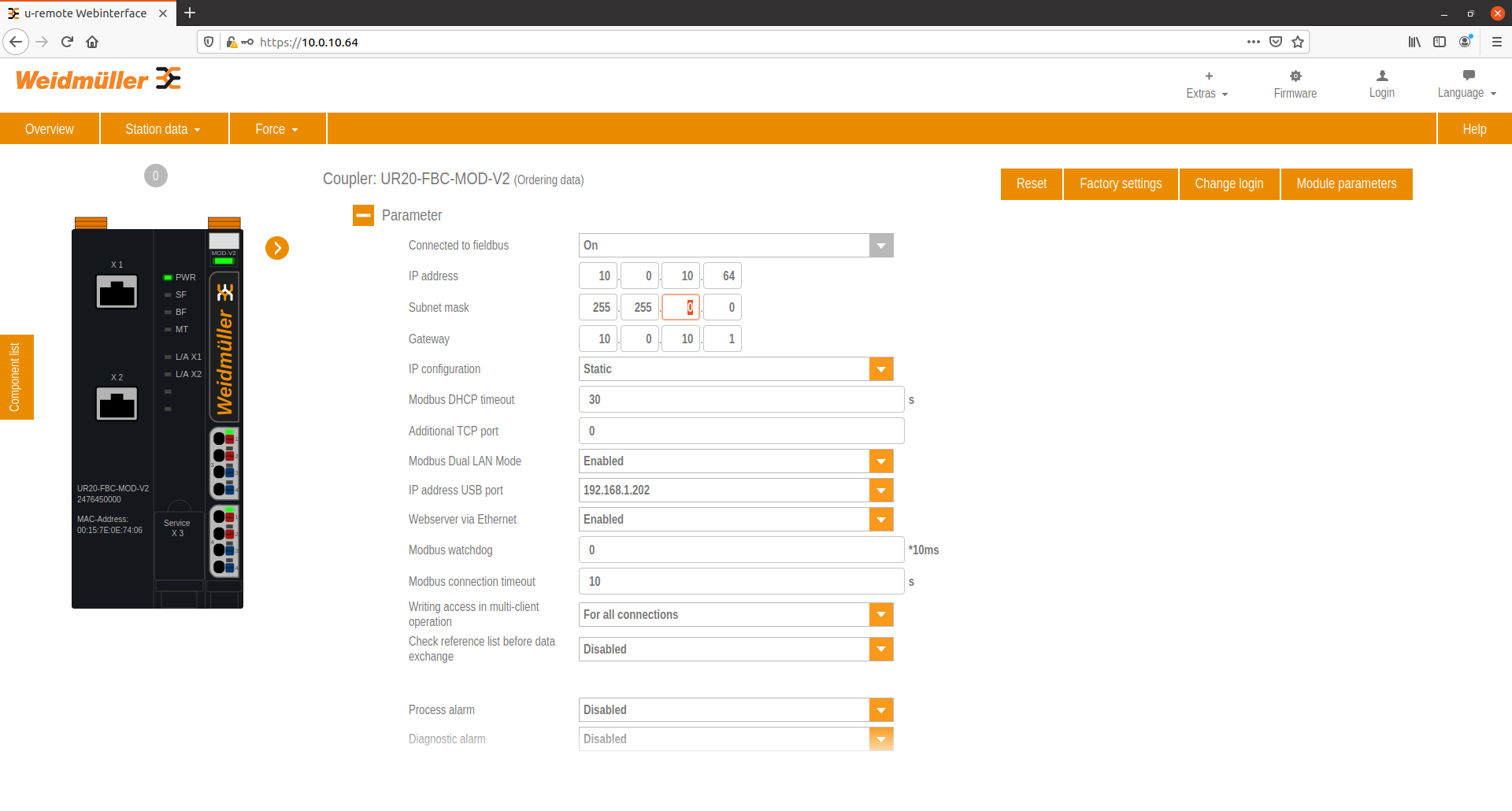 WUP Studio — communication parameter configuration for Modbus TCP
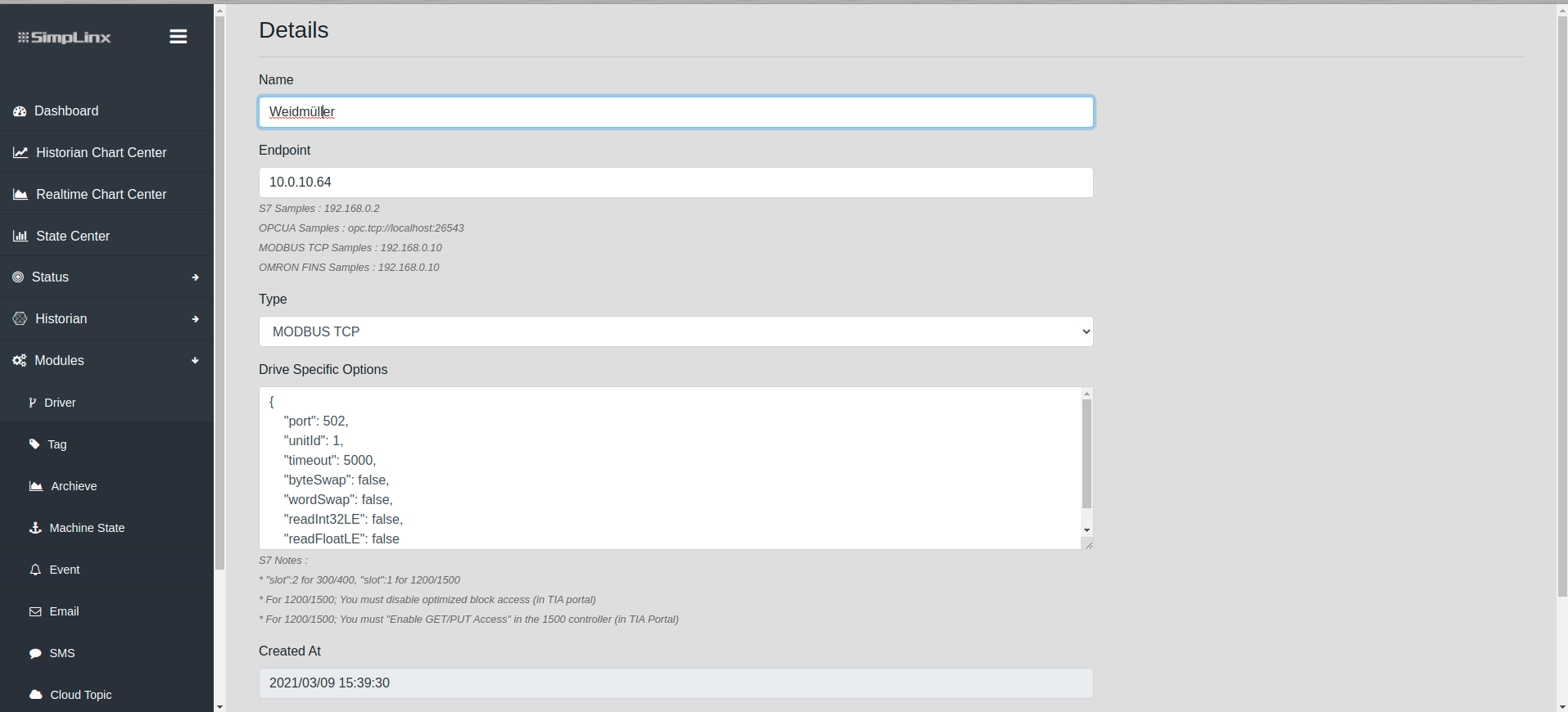 Remote IO — Add new Modbus TCP driver for Weidmüller
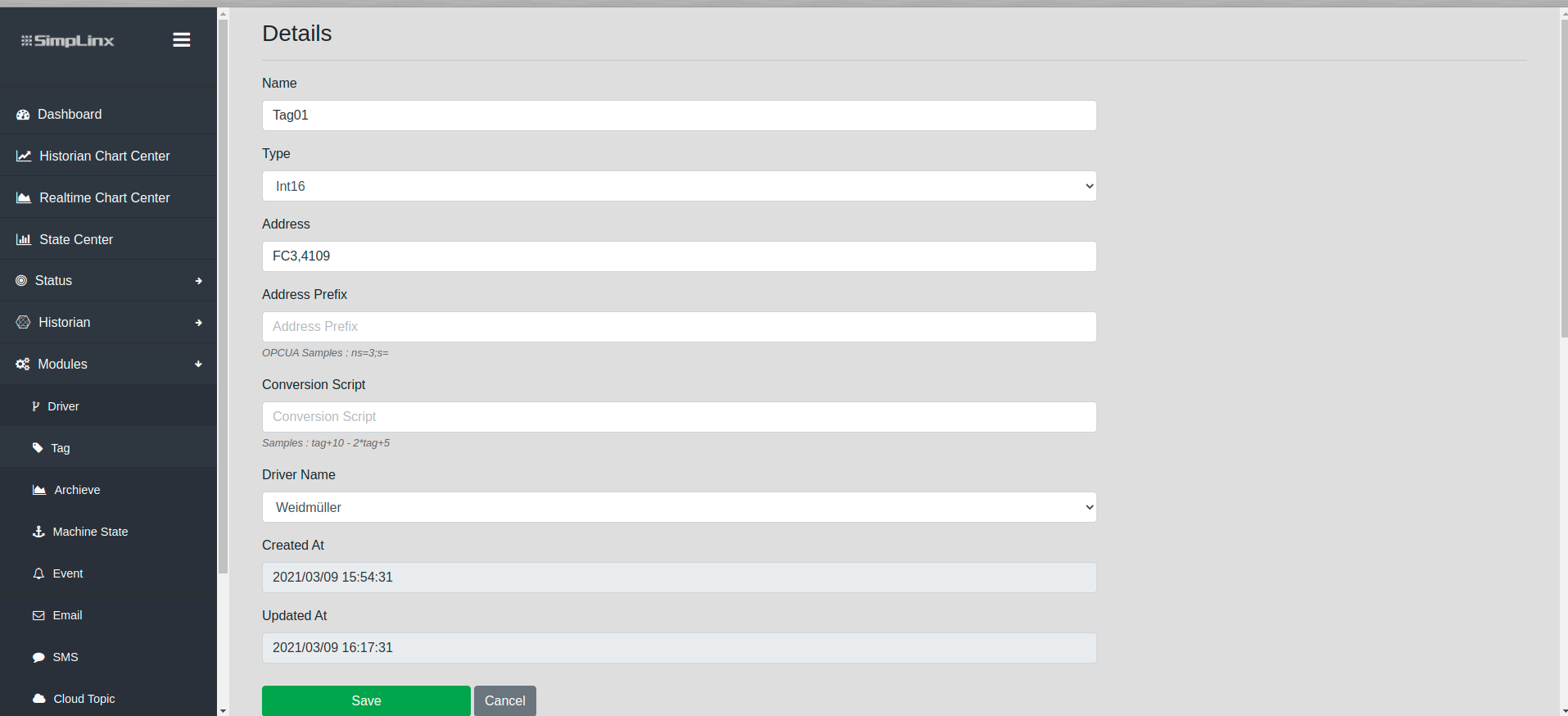 Remote IO — creating tags for Weidmüller register addresses
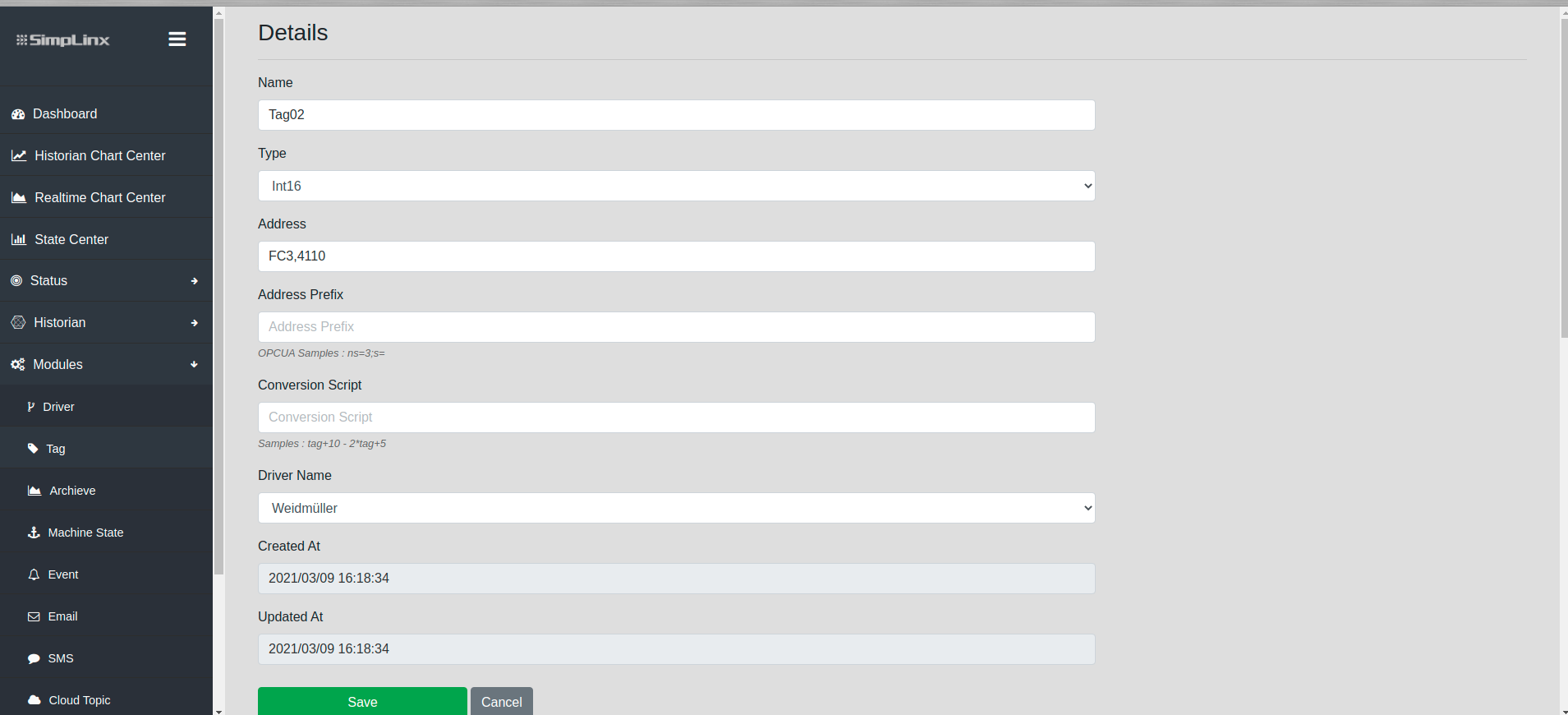 Remote IO — tag address and data type configuration
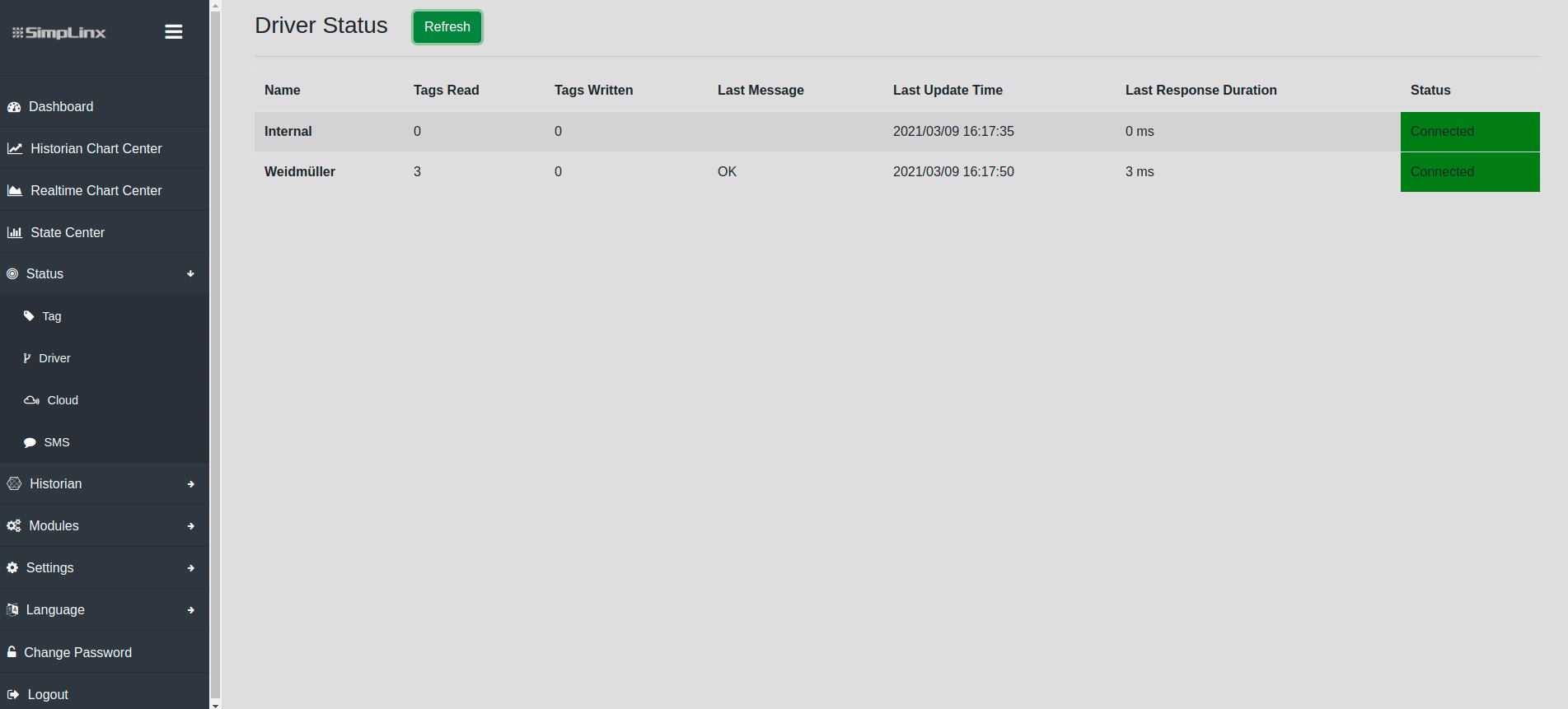 Remote IO — Driver status page confirming connection to Weidmüller module
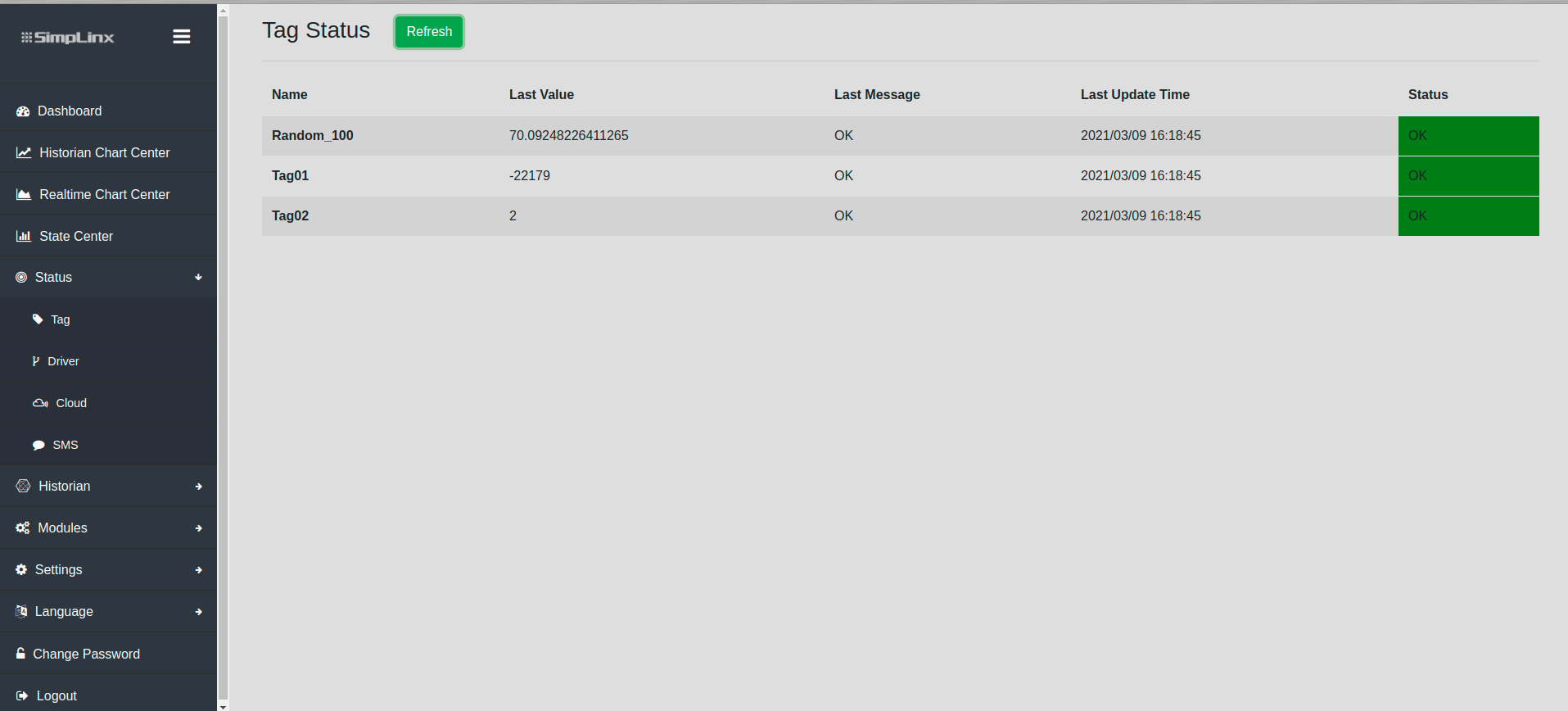 Remote IO — Tag status page with live register values from Weidmüller