
Remote IO — Yaskawa MP/Sigma Controller Connection
Overview
Section titled “Overview”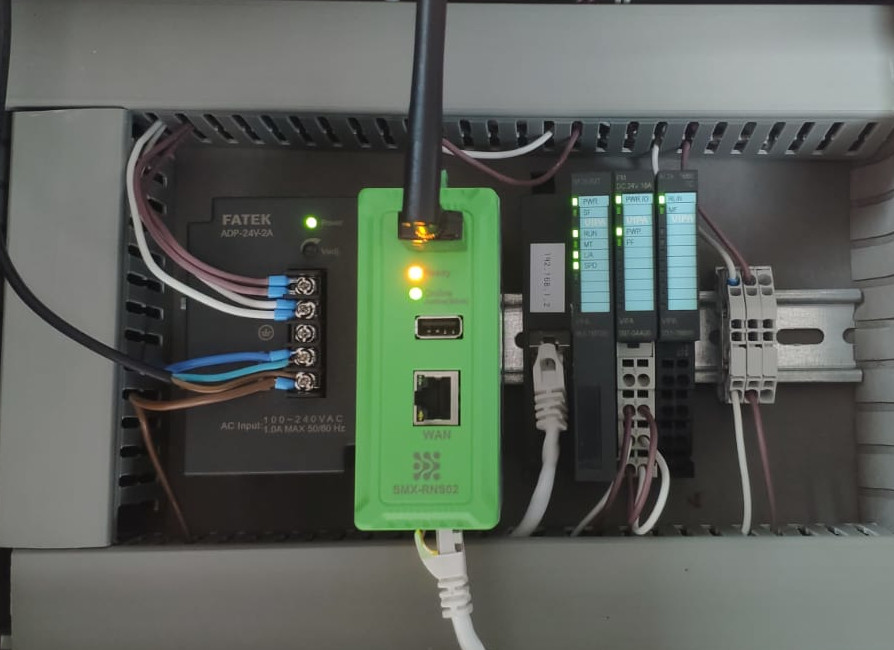 System setup — SMX-RNS20 reading Modbus TCP data from Yaskawa IO modules (no PLC required)
Yaskawa MP-series machine controllers (MP2000, MP3000) and some Sigma servo drive configurations support Modbus TCP and/or Memobus/Modbus protocol. This guide covers connecting via Modbus TCP.
Yaskawa Controller Configuration
Section titled “Yaskawa Controller Configuration”- In MotionWorks IEC or the MP-series configuration tool, assign a static IP to the controller’s Ethernet module.
- Enable the Modbus TCP Server (Memobus slave) function on the Ethernet card. Default port: 502.
- Note the register addresses (MW, MB, etc.) you want to monitor.
- The Yaskawa register mapping follows standard Modbus: MW000 = Holding Register 0, MB000 = Coil 0.
SMX-RNS20 Remote IO Configuration
Section titled “SMX-RNS20 Remote IO Configuration”- Log in to the SMX-RNS20 web interface → Remote IO → Connections → Add Connection.
- Select Driver: Modbus TCP. Enter the Yaskawa controller IP, port 502, Unit ID 1.
- Add your data points. For holding registers use FC03; for status bits use FC01 (coils).
- Set the polling interval (e.g., 5 seconds) and save.
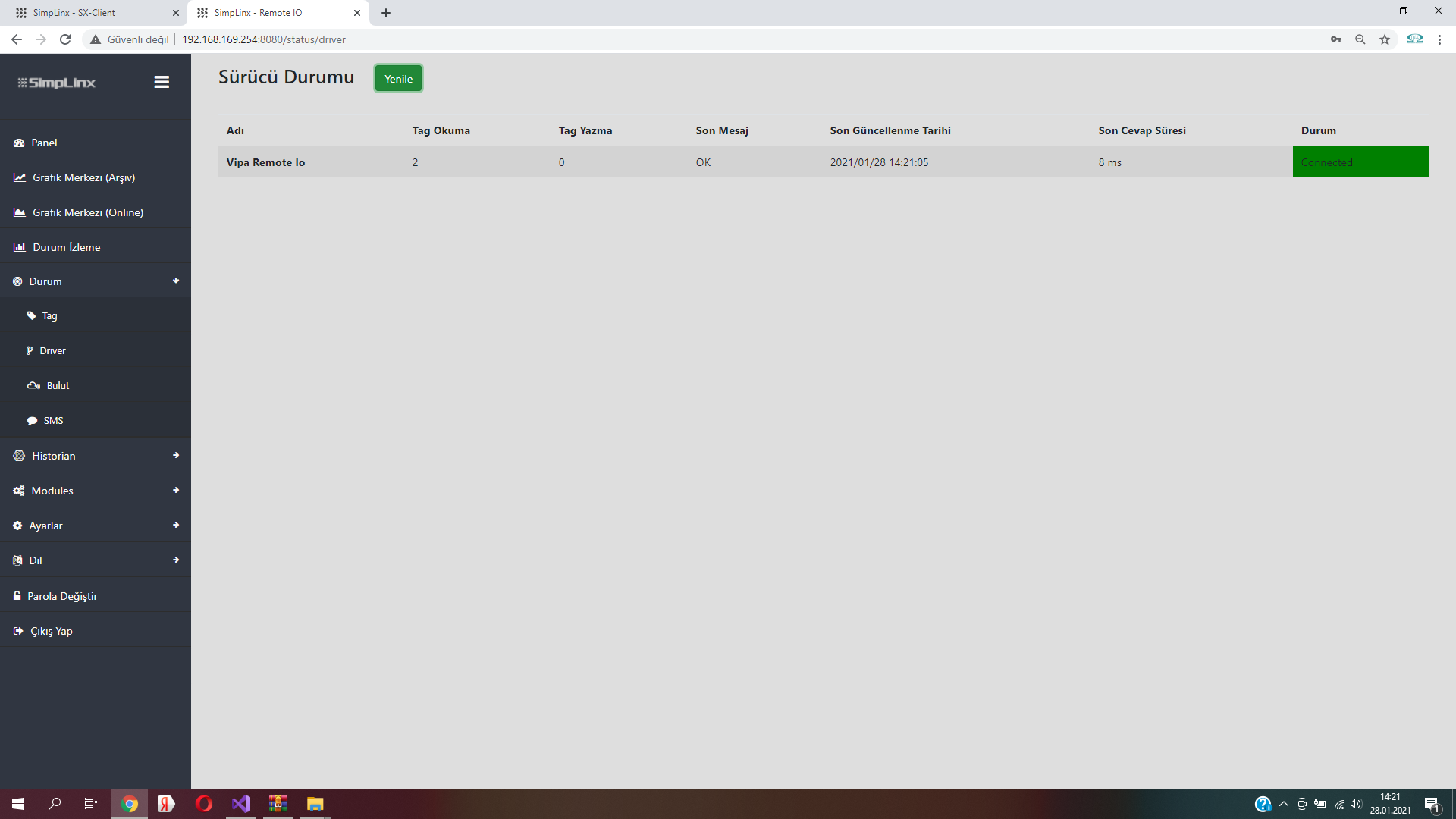
- Check Remote IO → Monitor to confirm data is being read.
Screenshots — Remote IO App
Section titled “Screenshots — Remote IO App”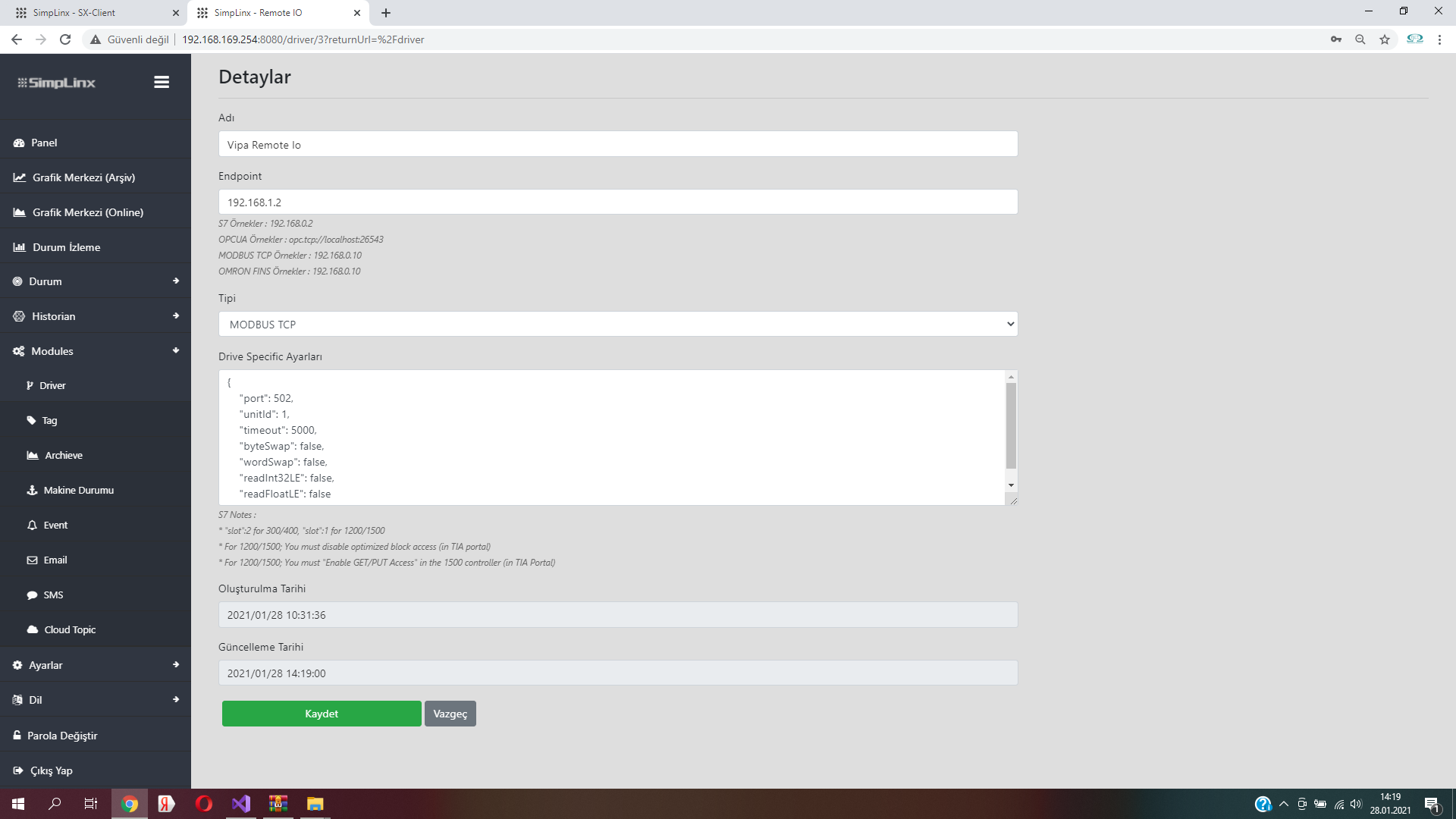 Step 1 — Add Communication Module in the Driver page
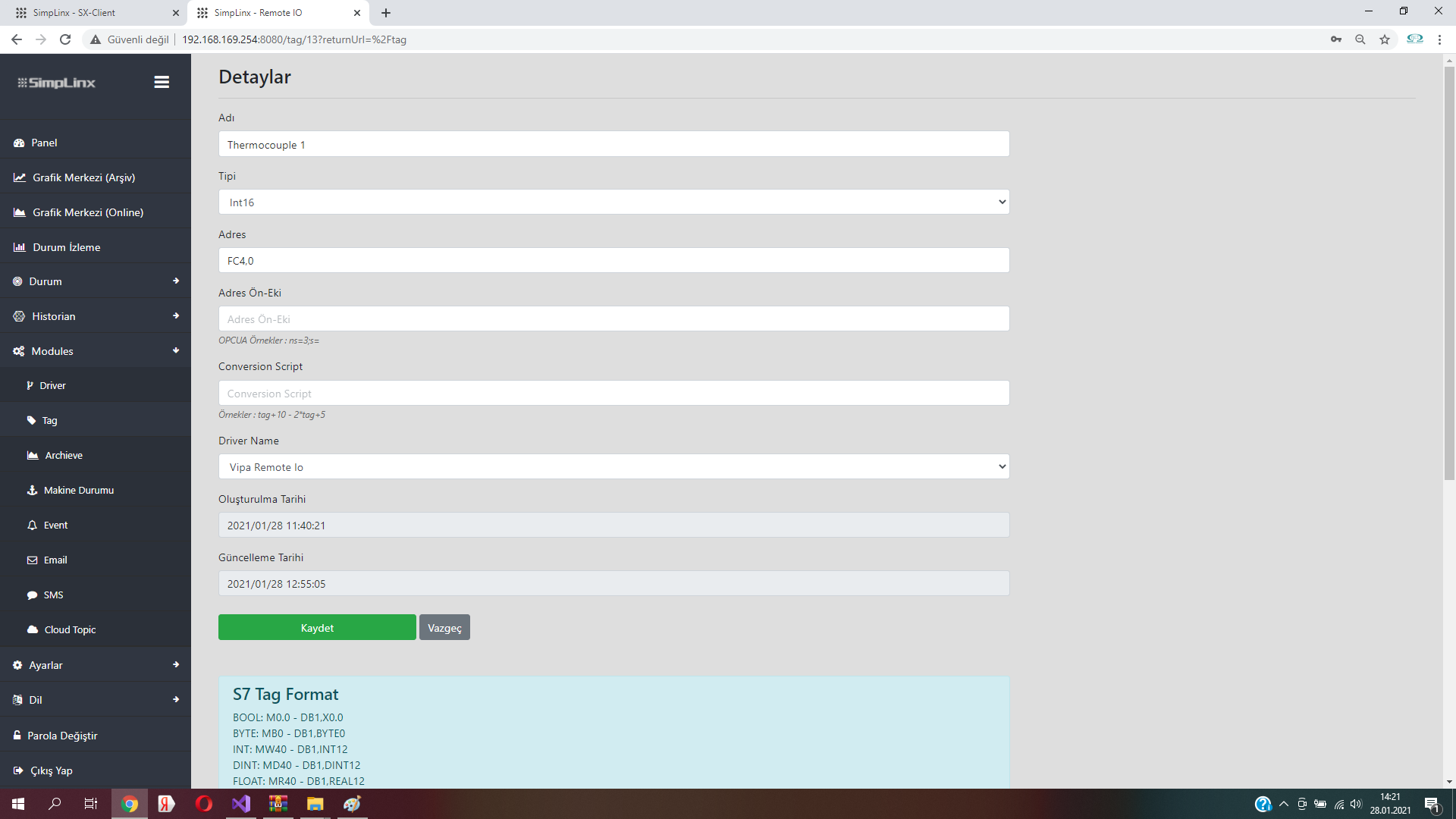 Step 2 — Enter tag information on the Tag page
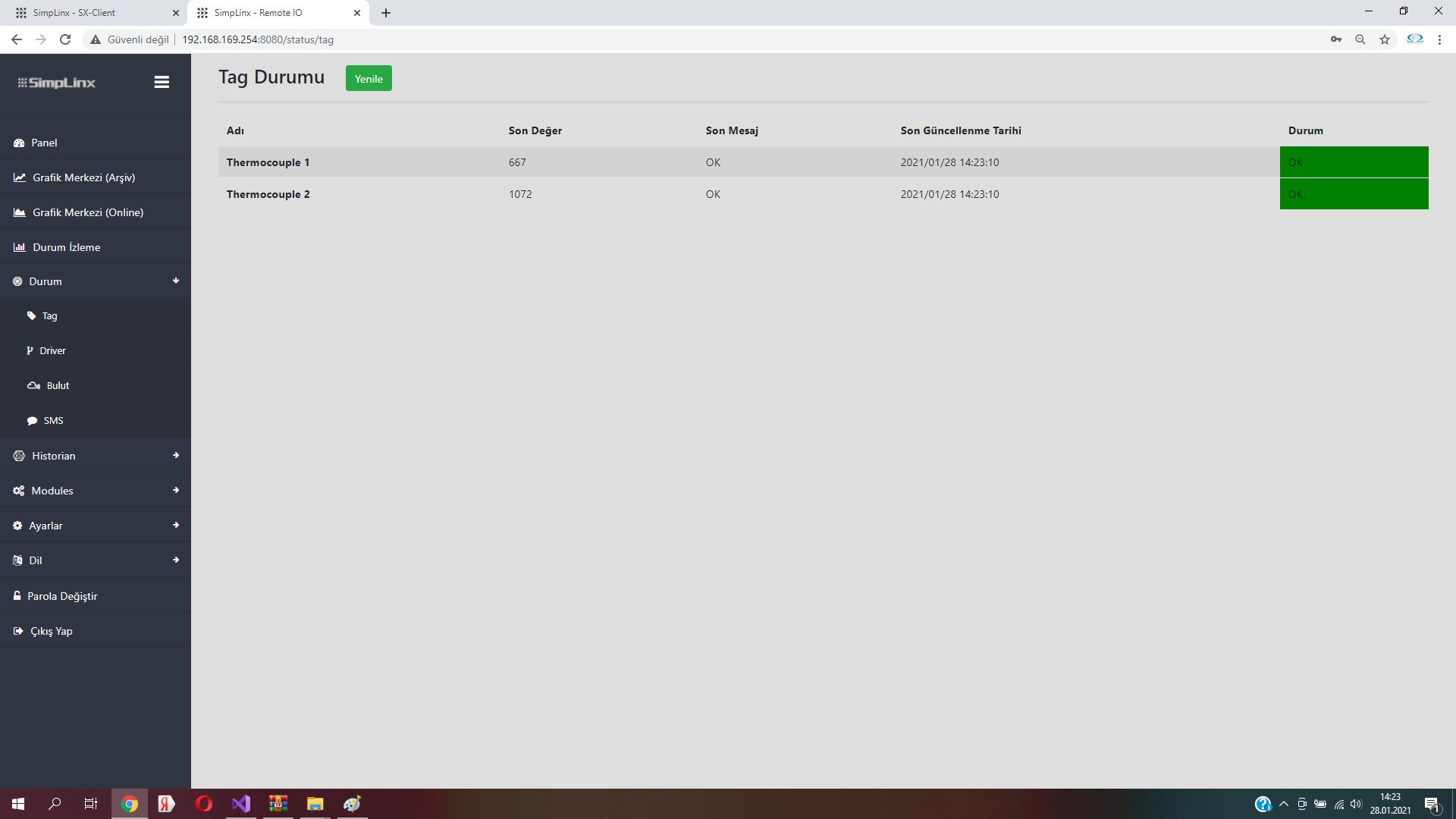 Step 3 — Driver status confirming connection to Yaskawa module
 Step 3 — Tag status page with live values from Yaskawa IO