
SMX-RNS20 Remote Access to SICK Safety Controllers
Overview
Section titled “Overview”SICK Flexi Soft (FX3-CPUx) and other SICK safety controllers with Ethernet gateways (EFI-pro, Ethernet/IP) can be reached remotely over an SMX-RNS20 tunnel using the SICK Safety Designer or Flexi Soft Designer programming tools.
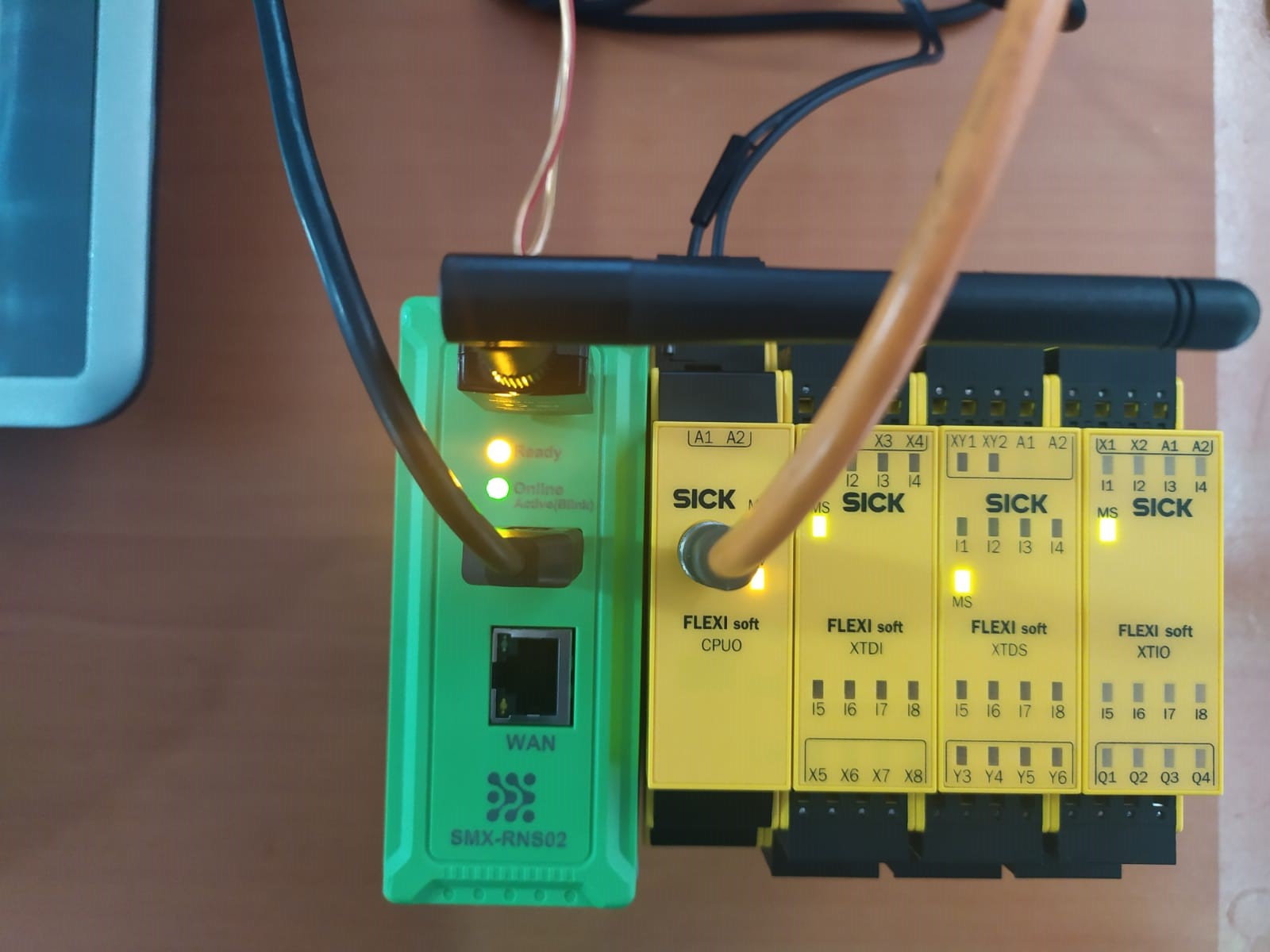 Hardware setup — SMX-RNS20 connected to SICK Flexi Soft safety controller (FX3-CPU) via USB
Hardware Requirements
Section titled “Hardware Requirements”- SICK Flexi Soft system with an FX3-ENET0 or FX3-ENET2 Ethernet module, or a controller with a built-in Ethernet port.
- The SICK Ethernet module must be configured with a static IP on the same subnet as the SMX-RNS20 LAN.
- SMX-RNS20 LAN port connected to the same switch as the SICK Ethernet module.
- On the engineering PC, open SX-Client and establish a connection to the SMX-RNS20.
- Open SICK Safety Designer or Flexi Soft Designer.
- In the project’s device settings, configure the IP address of the FX3-ENET module.
- Use the software’s Online → Connect function. The tool will reach the SICK device through the SMX tunnel.
- Perform diagnostics, parameter reads, or (if the machine is safely de-energised) program modifications.
- Disconnect from the device before re-enabling machine operation.
Screenshots
Section titled “Screenshots”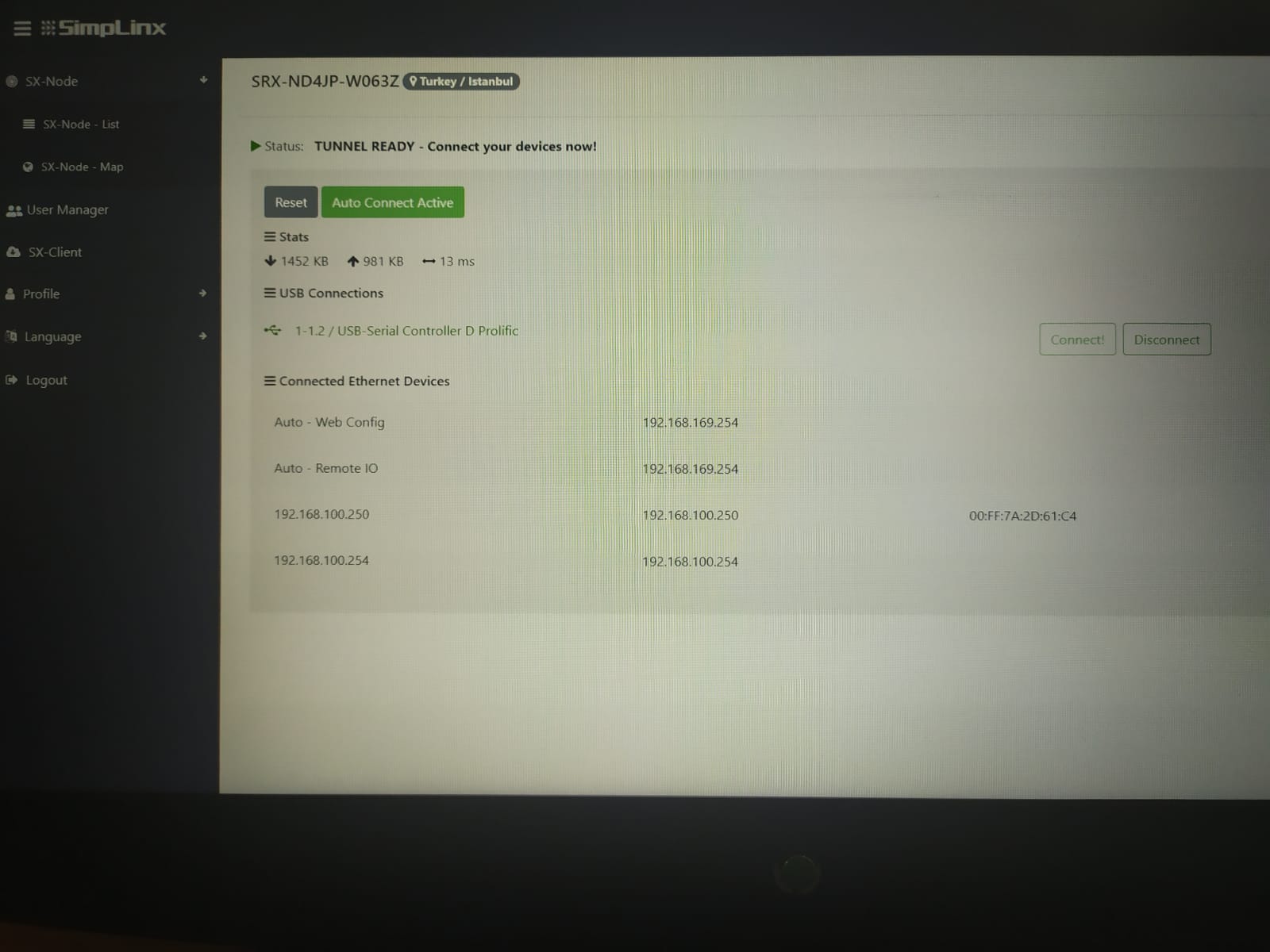 SX-Client — connected device list showing SICK Safety PLC USB connection
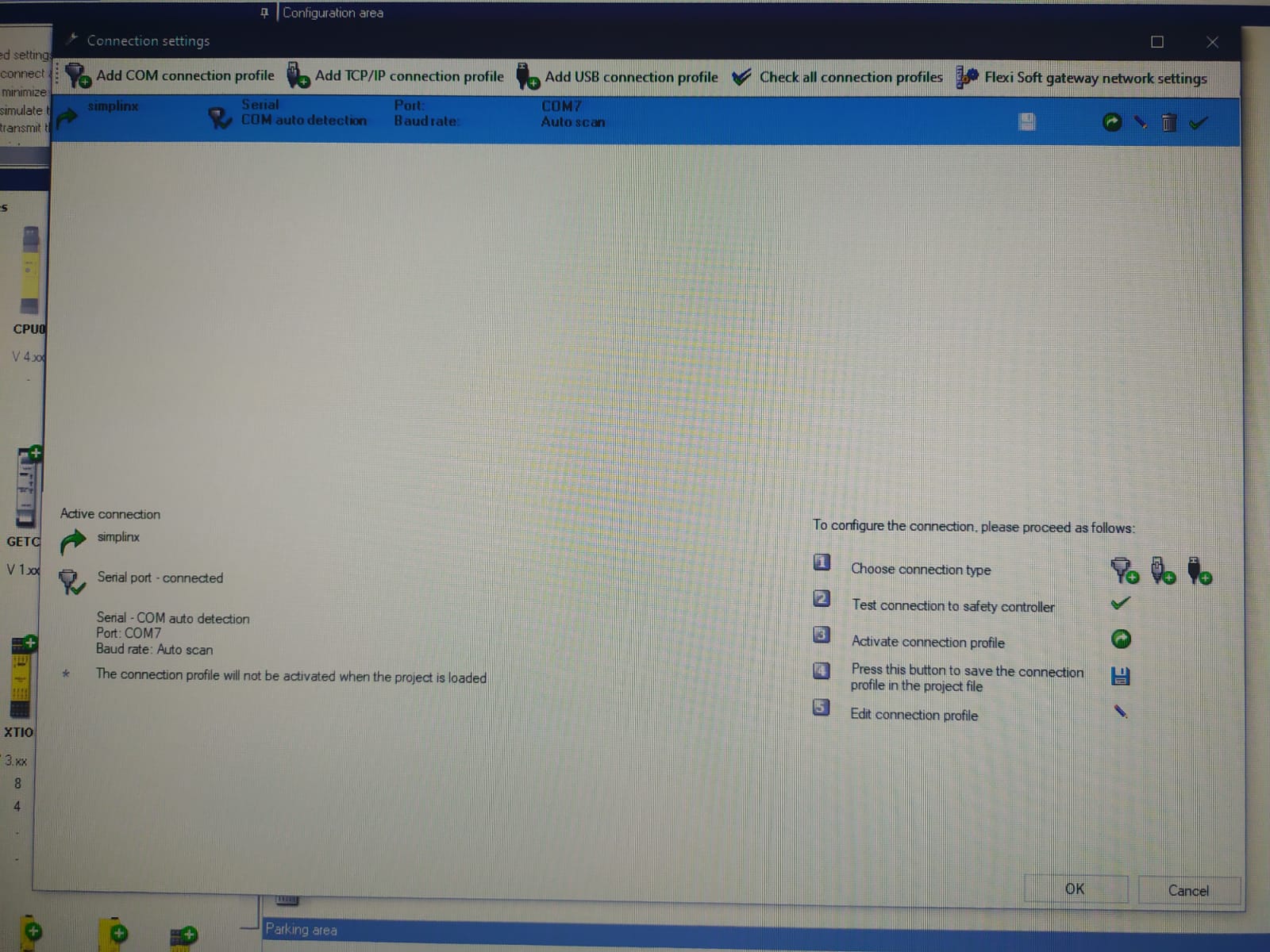 Flexi Soft Designer — Hardware Configuration with COM as connection type
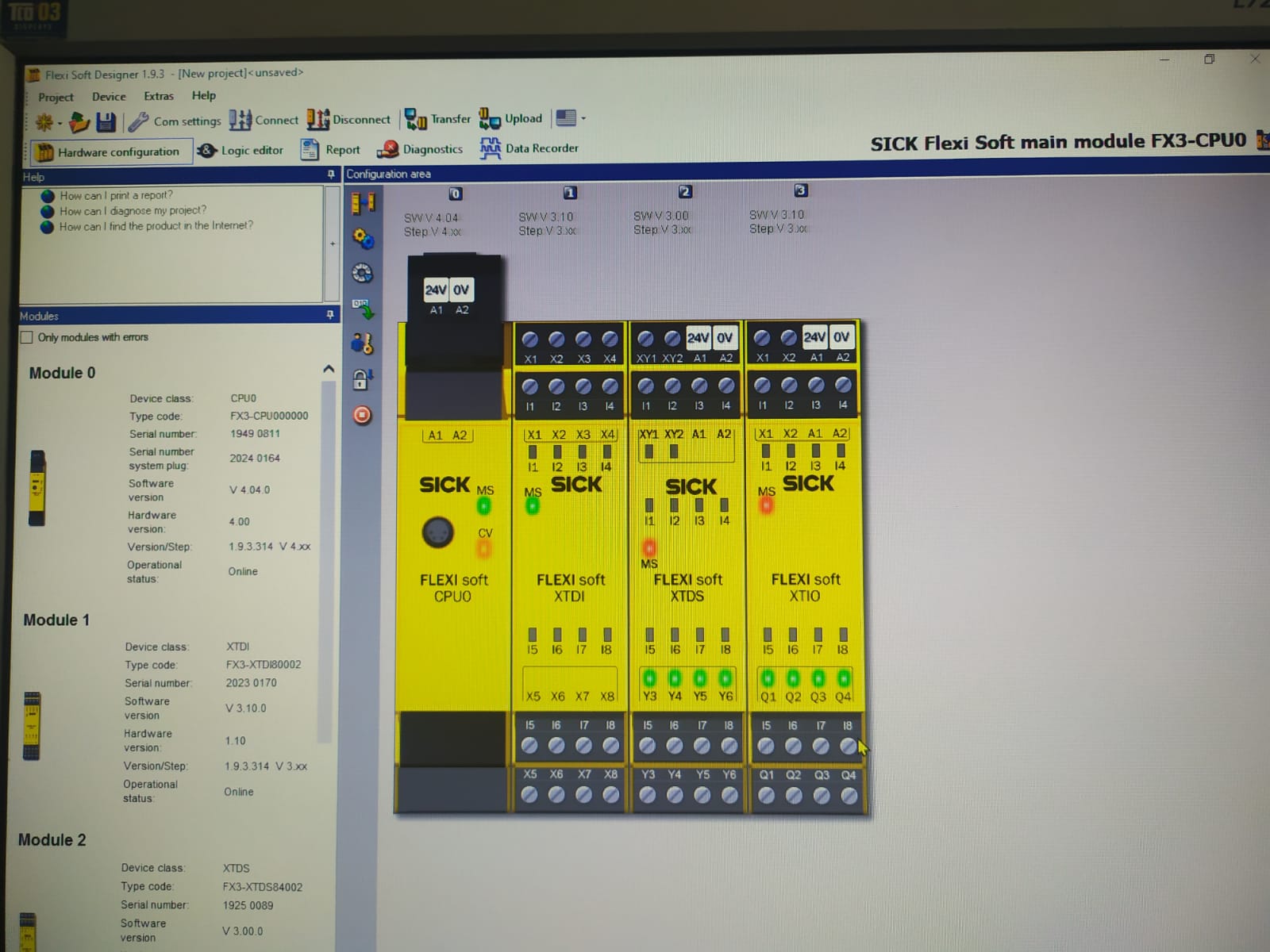 Flexi Soft Designer — Online Test function confirming successful connection