
SX-IO — SQL Connector
Overview
Section titled “Overview”The SX-IO SQL Connector allows the SMX-RNS20 to write time-series data directly to a remote SQL database. Each collected data point (value + timestamp) is inserted as a row, enabling factory analytics using standard SQL tools without a separate IoT middleware layer.
Supported database engines: MySQL / MariaDB, Microsoft SQL Server, PostgreSQL.
Database Preparation
Section titled “Database Preparation”Create a table to receive the data. Minimum required schema:
CREATE TABLE machine_data ( id BIGINT AUTO_INCREMENT PRIMARY KEY, device_id VARCHAR(64), tag_name VARCHAR(128), tag_value DOUBLE, recorded_at DATETIME DEFAULT CURRENT_TIMESTAMP);Create a dedicated database user with INSERT permission only on this table for better security.
SX-IO SQL Connector Configuration
Section titled “SX-IO SQL Connector Configuration”- Ensure the database server is accessible from the SMX-RNS20 (either on the same LAN or reachable via the WAN IP/hostname).
- Log in to the SMX-RNS20 web interface → SX-IO → Outputs → SQL Connector.
- Enter the database host, port, database name, username, and password.
- Select the table name and map the column names to: timestamp, device ID, tag name, and value.
- Choose which SX-IO data points to write to SQL and set the write interval or enable on-change writes.
- Enable local buffering to cache rows during connectivity loss — the SMX will flush the buffer when the connection is restored.
- Save and check the database to verify rows are being inserted.
Screenshots
Section titled “Screenshots”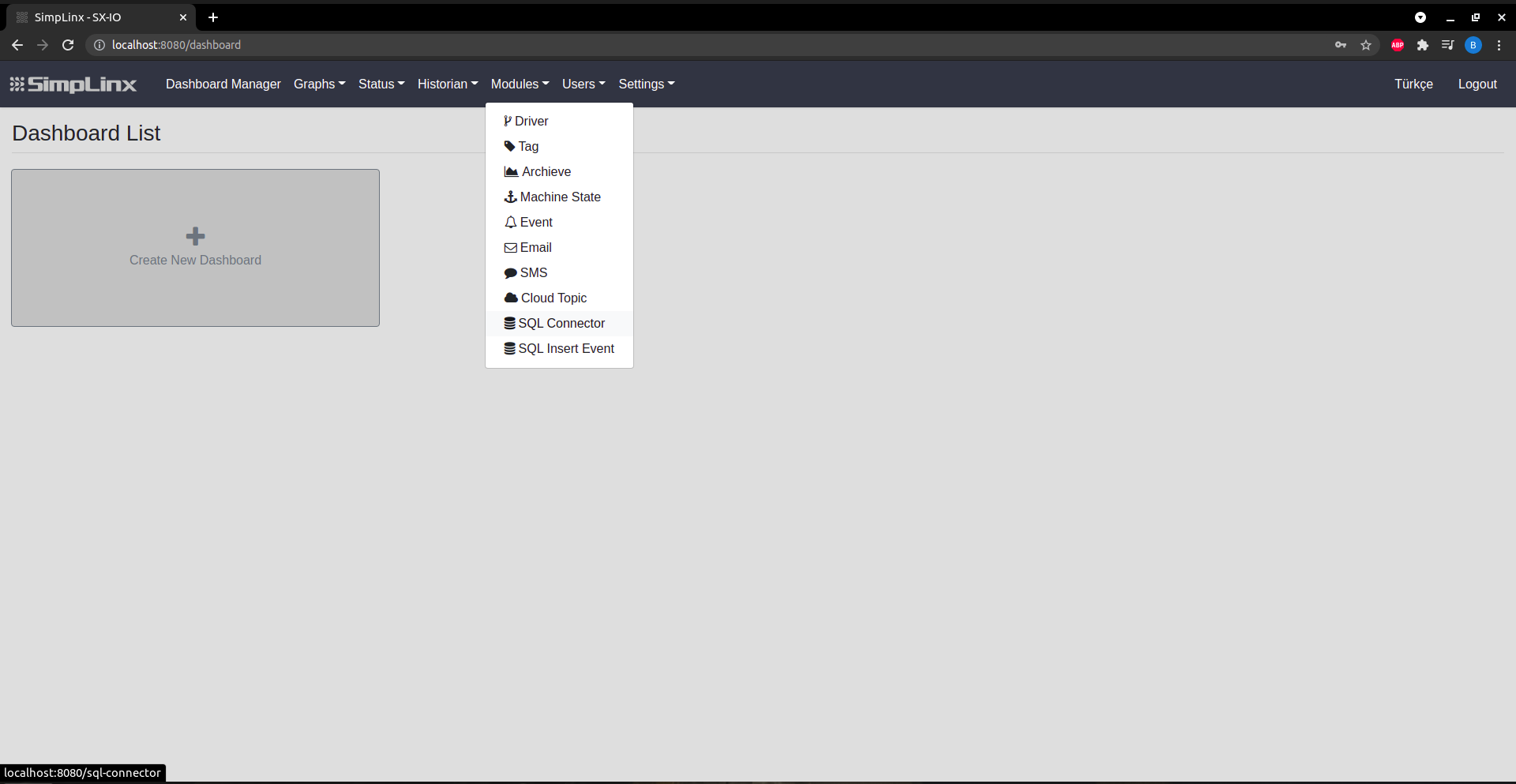 Step 1 — Modules → SQL Connector
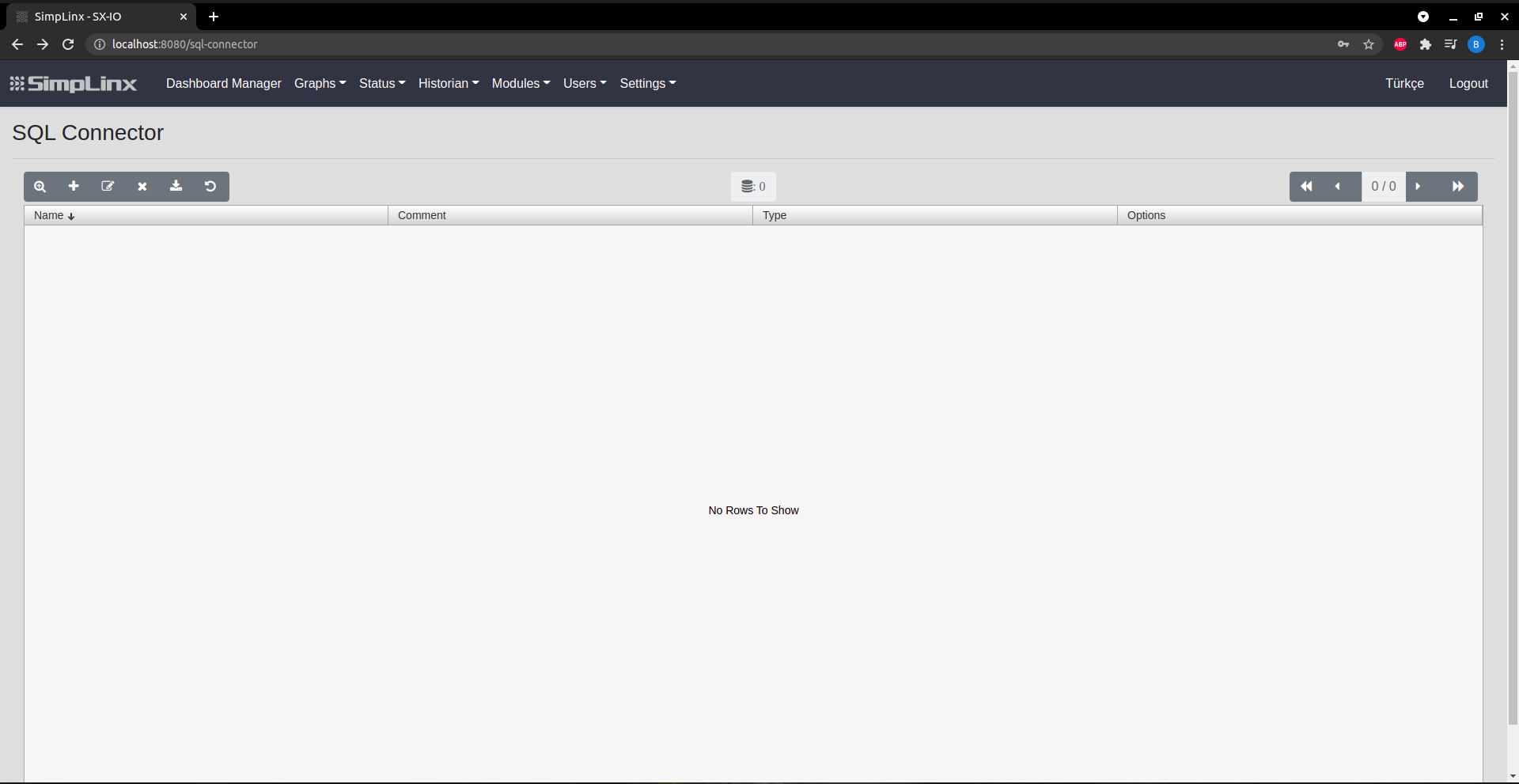 Step 2 — Add new remote database connection
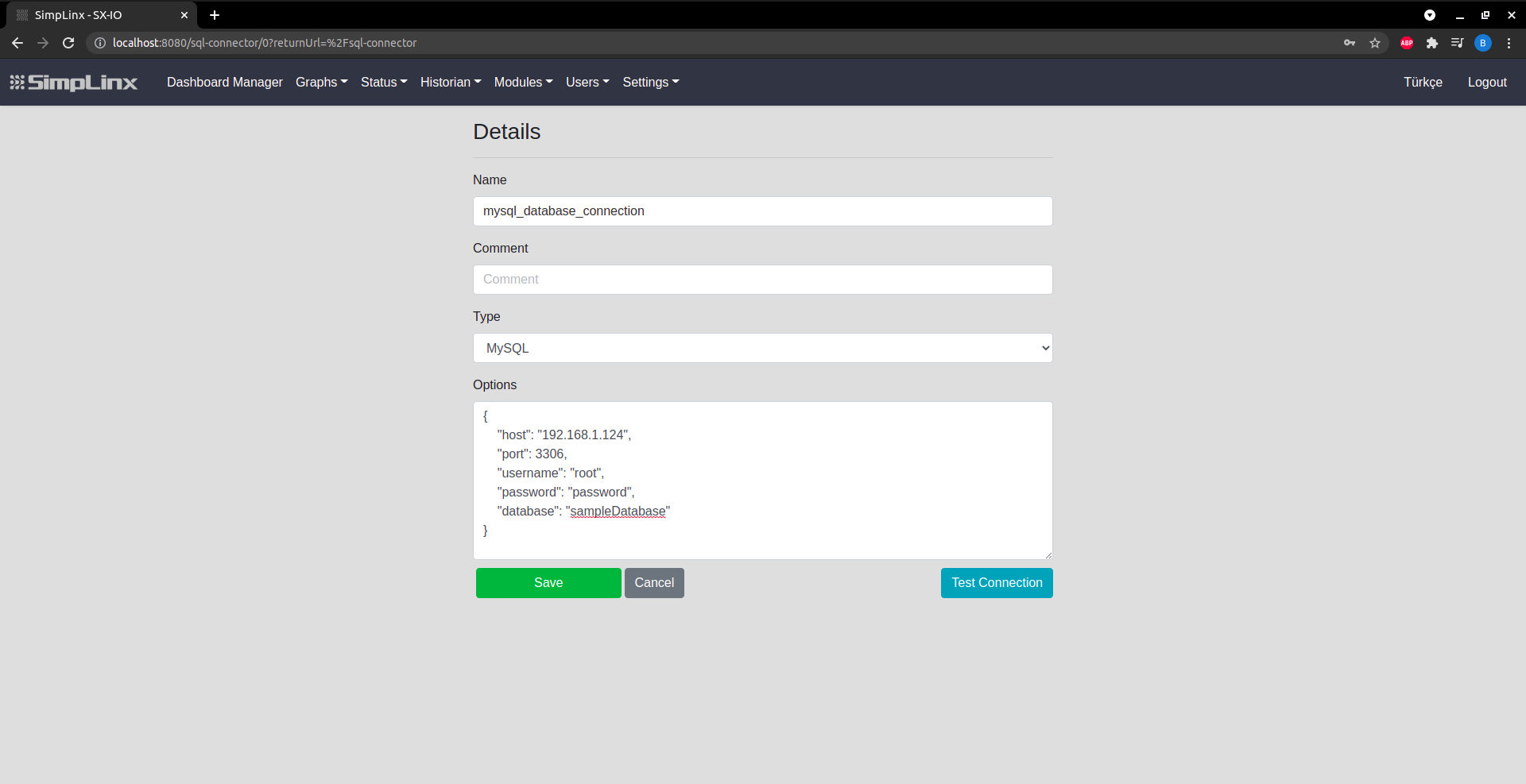 Step 3 — Configure: Name, DB type (PostgreSQL/MySQL/MS_SQL), connection options
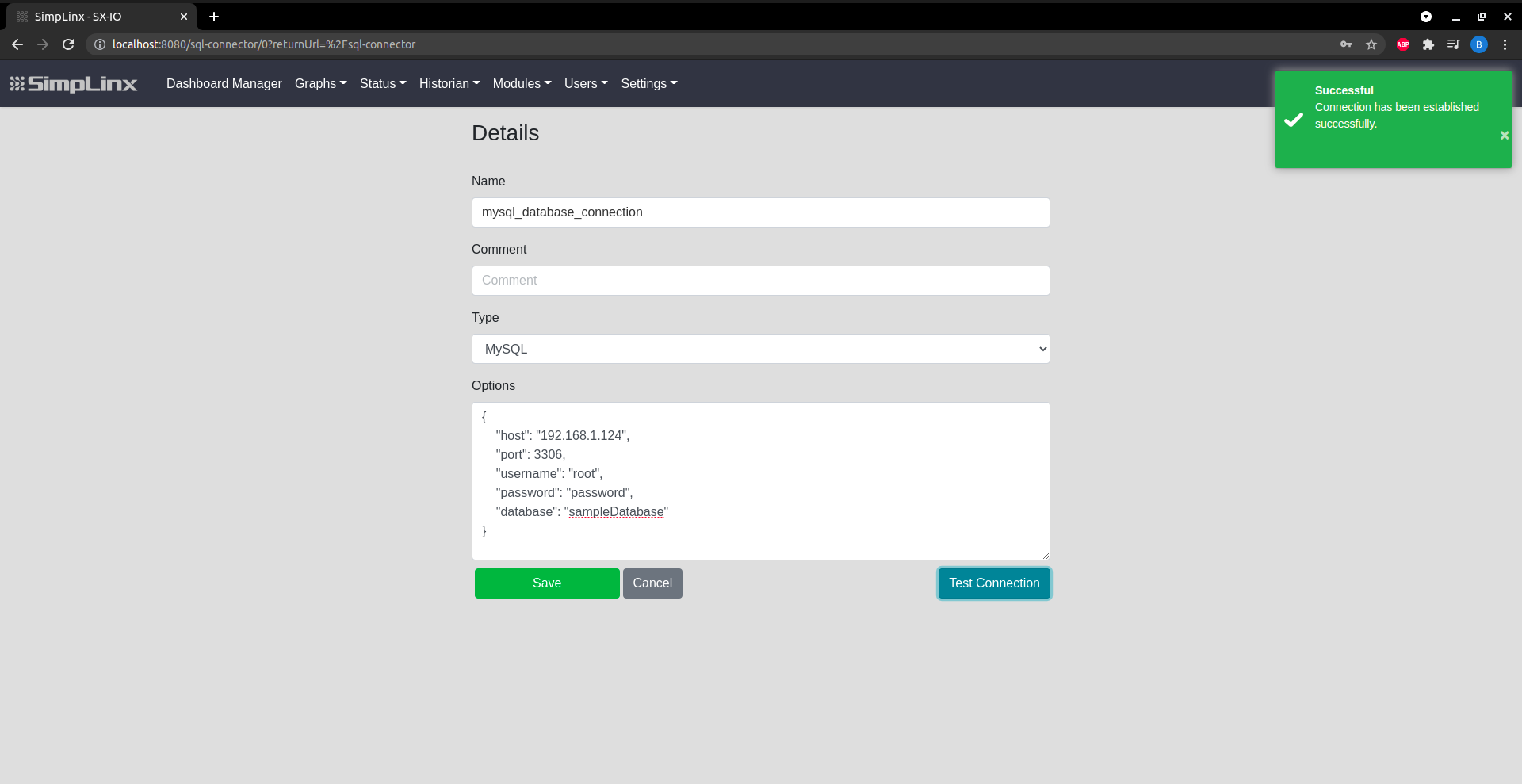 Step 4 — Test Connection to verify credentials
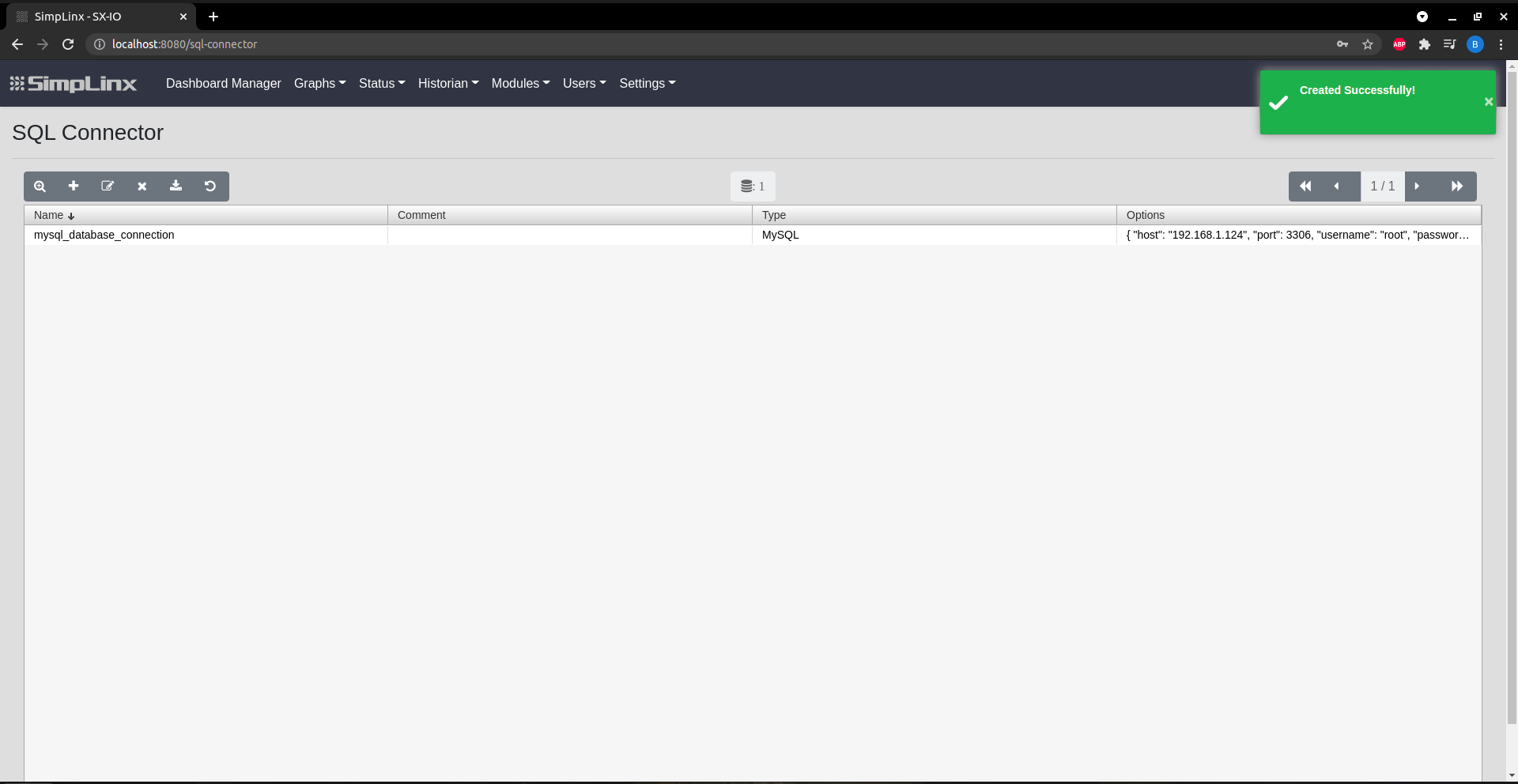 Step 5 — Save the connector
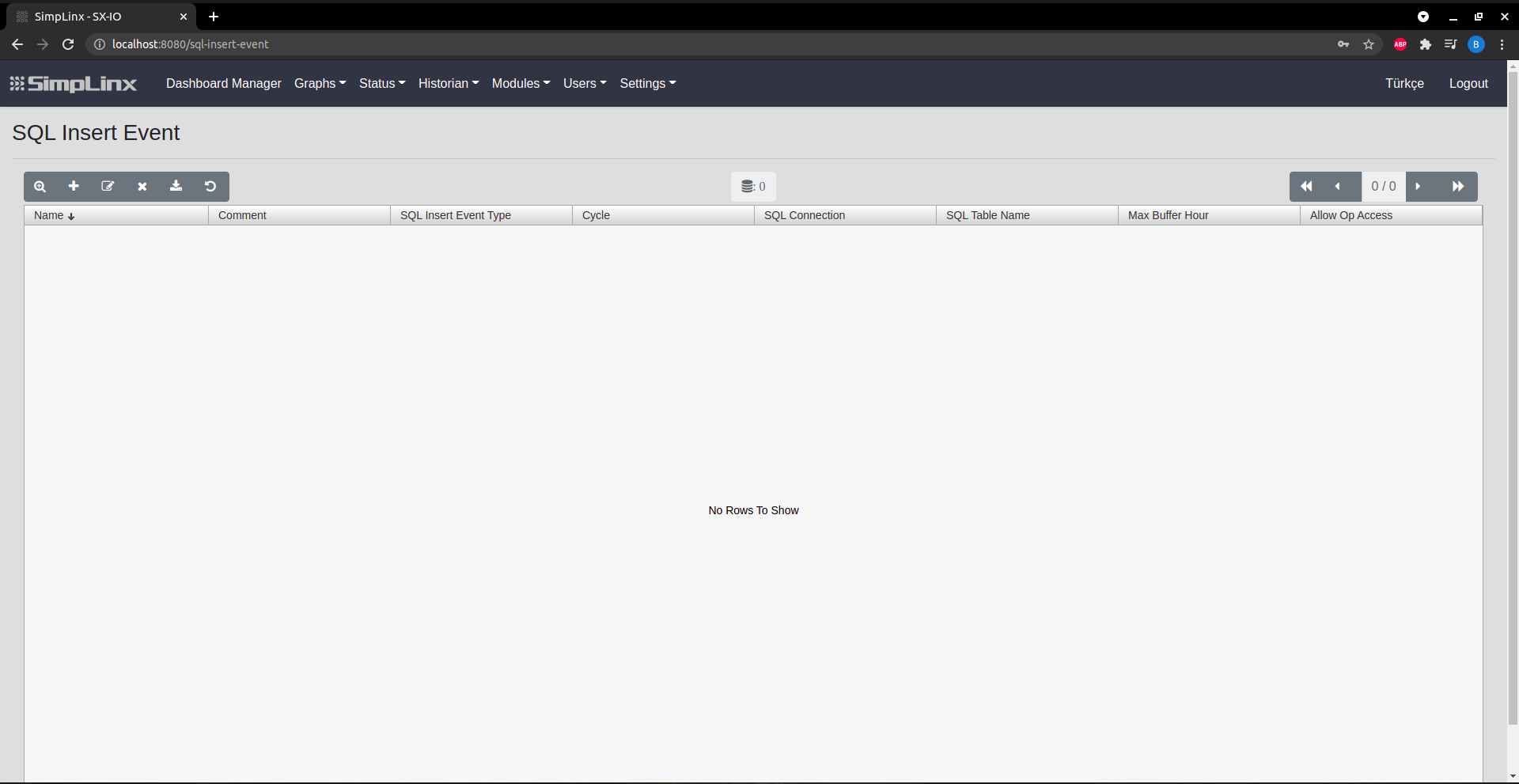 Step 6 — SQL Insert Event: add insertion rule
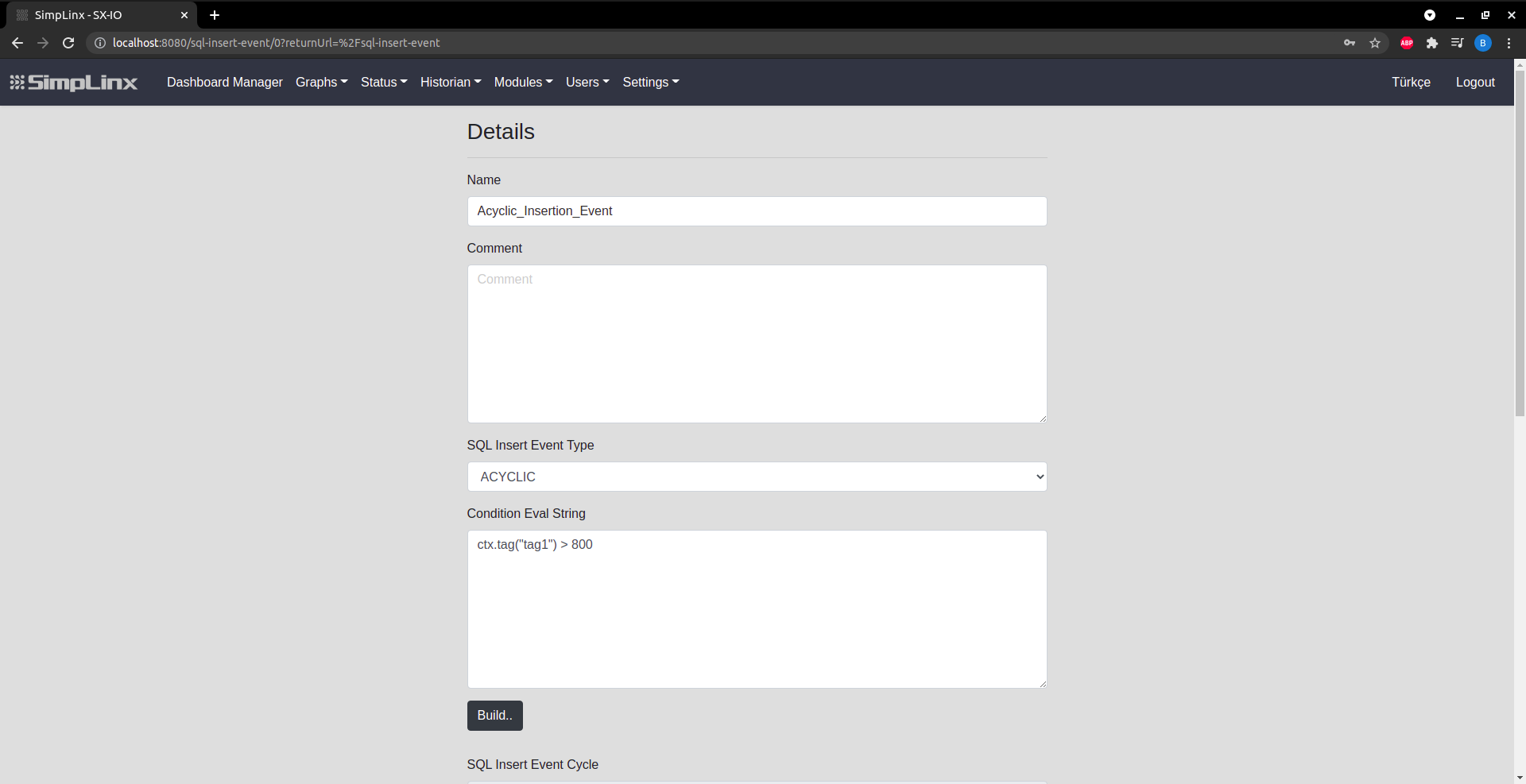 Step 7 — Event details: name, type, condition, cycle interval
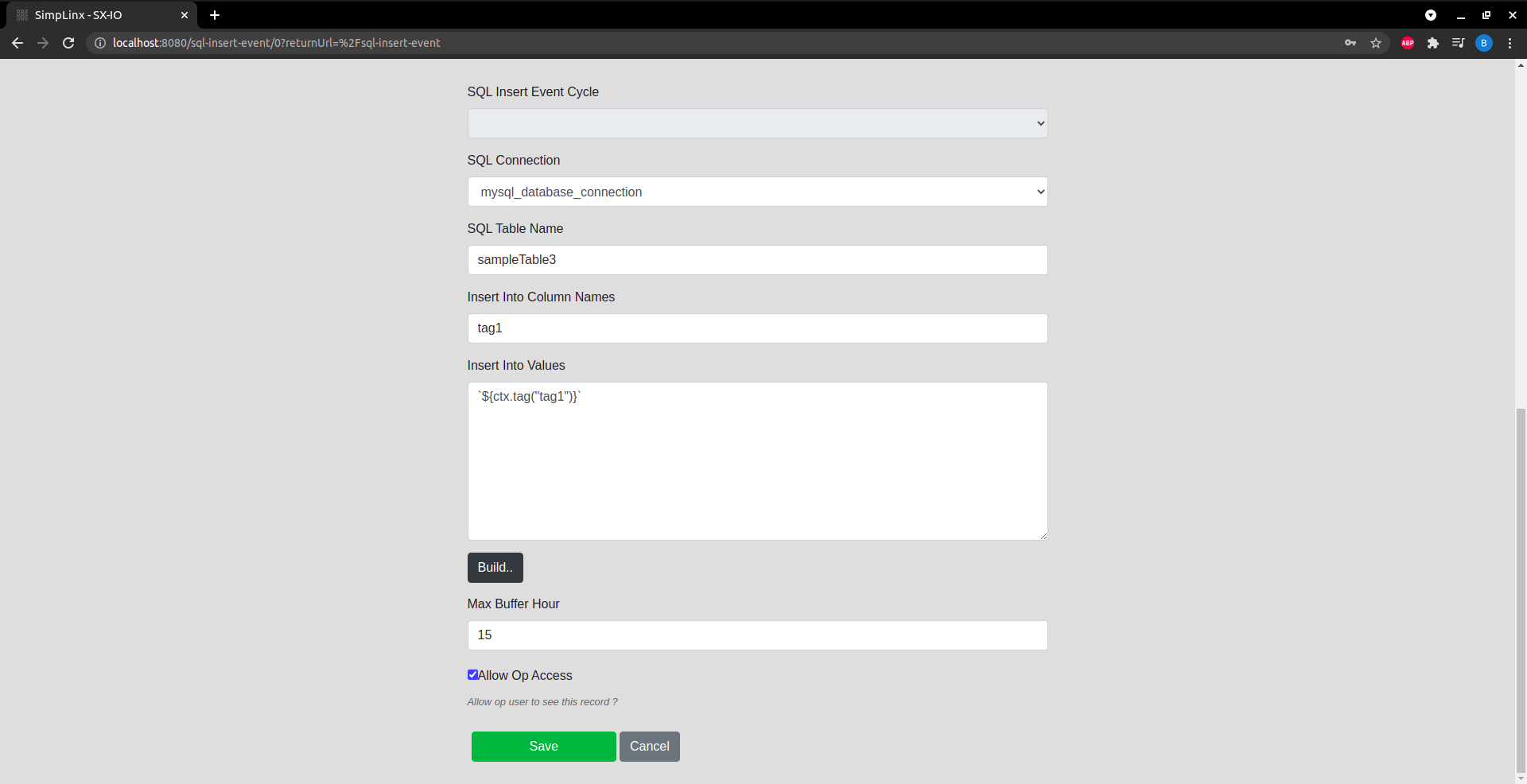 Step 8 — Configure SQL connection, table name, columns and buffer hours
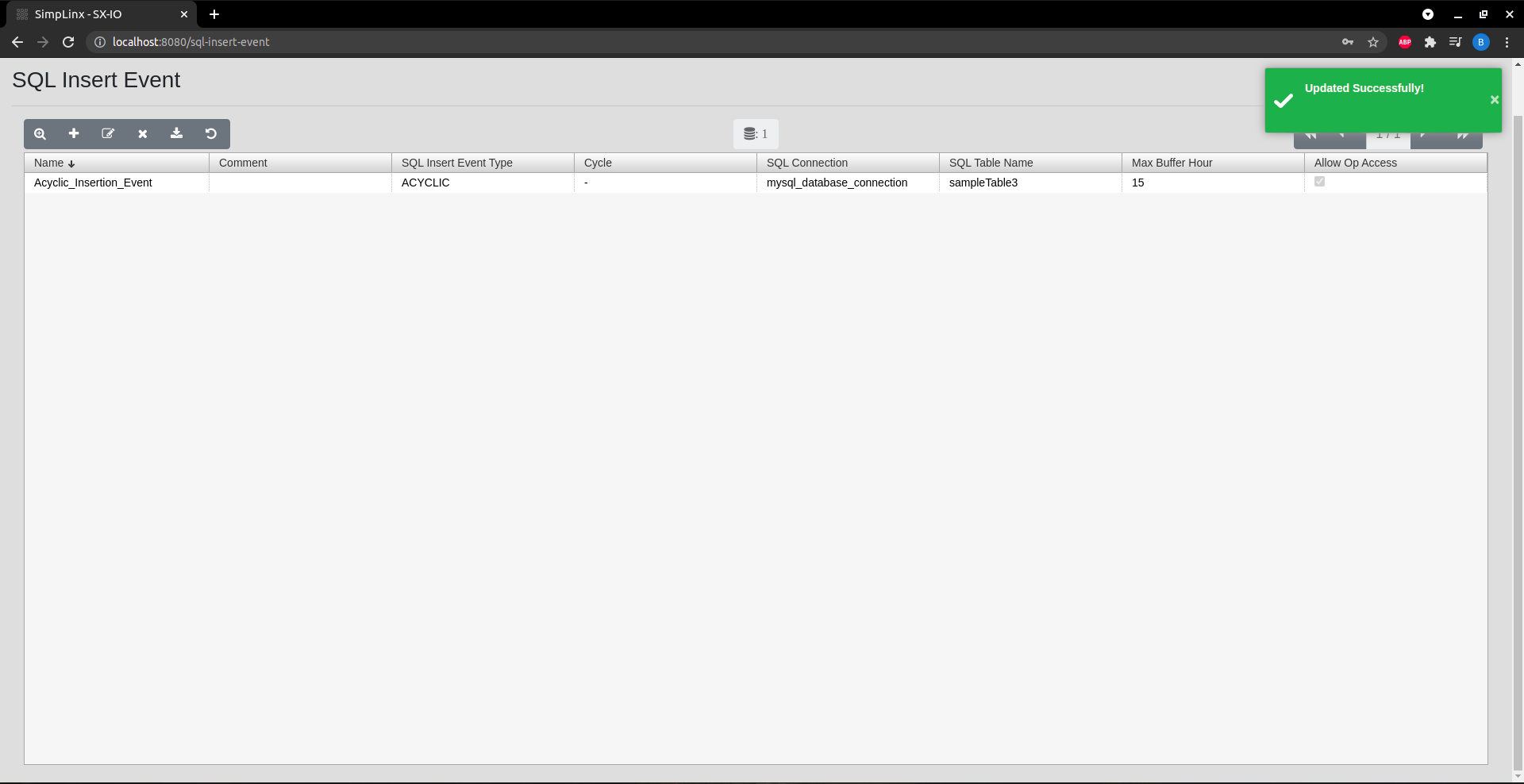 Step 9 — Save the Insert Event
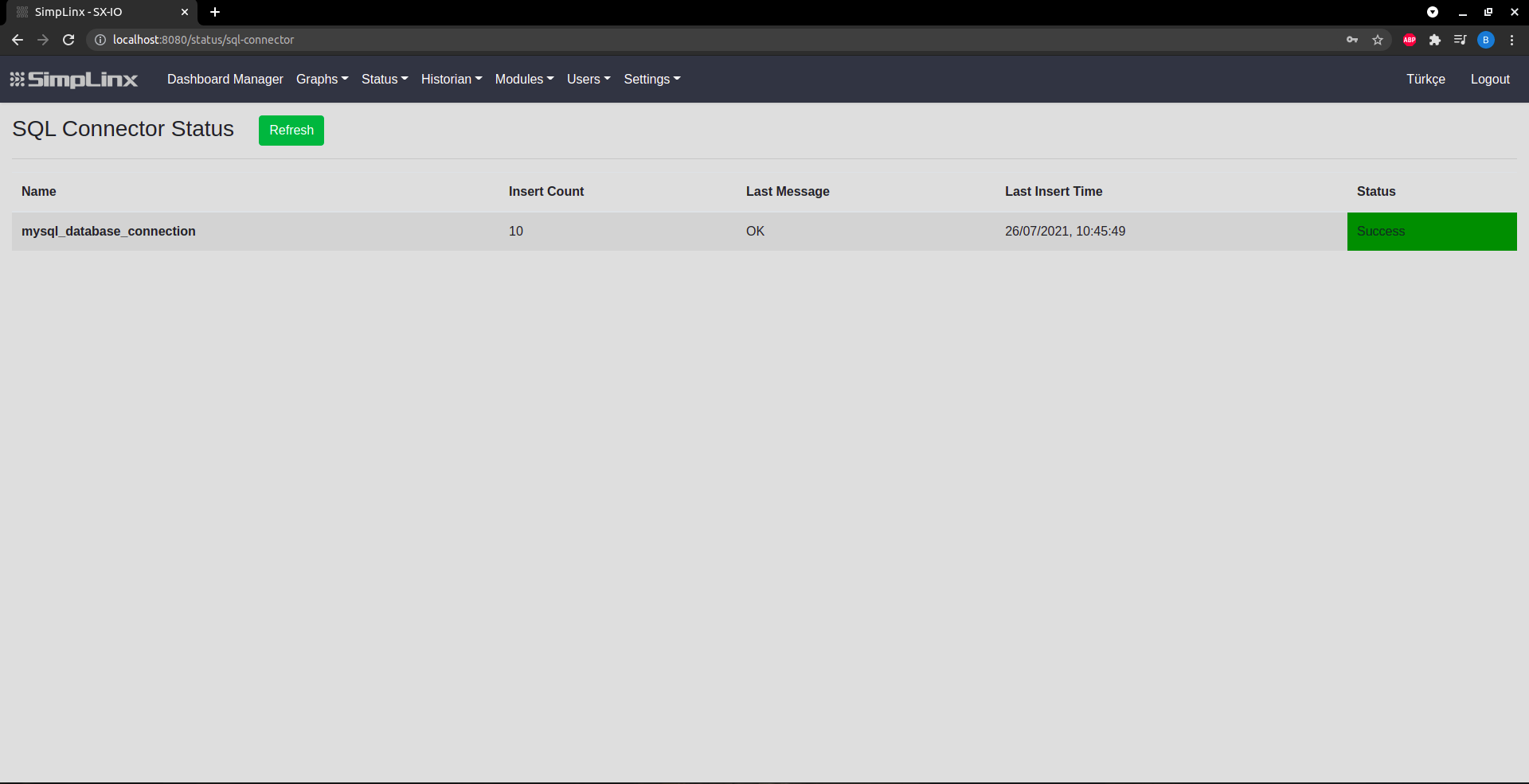 Status page — connector name, insert count, messages and status
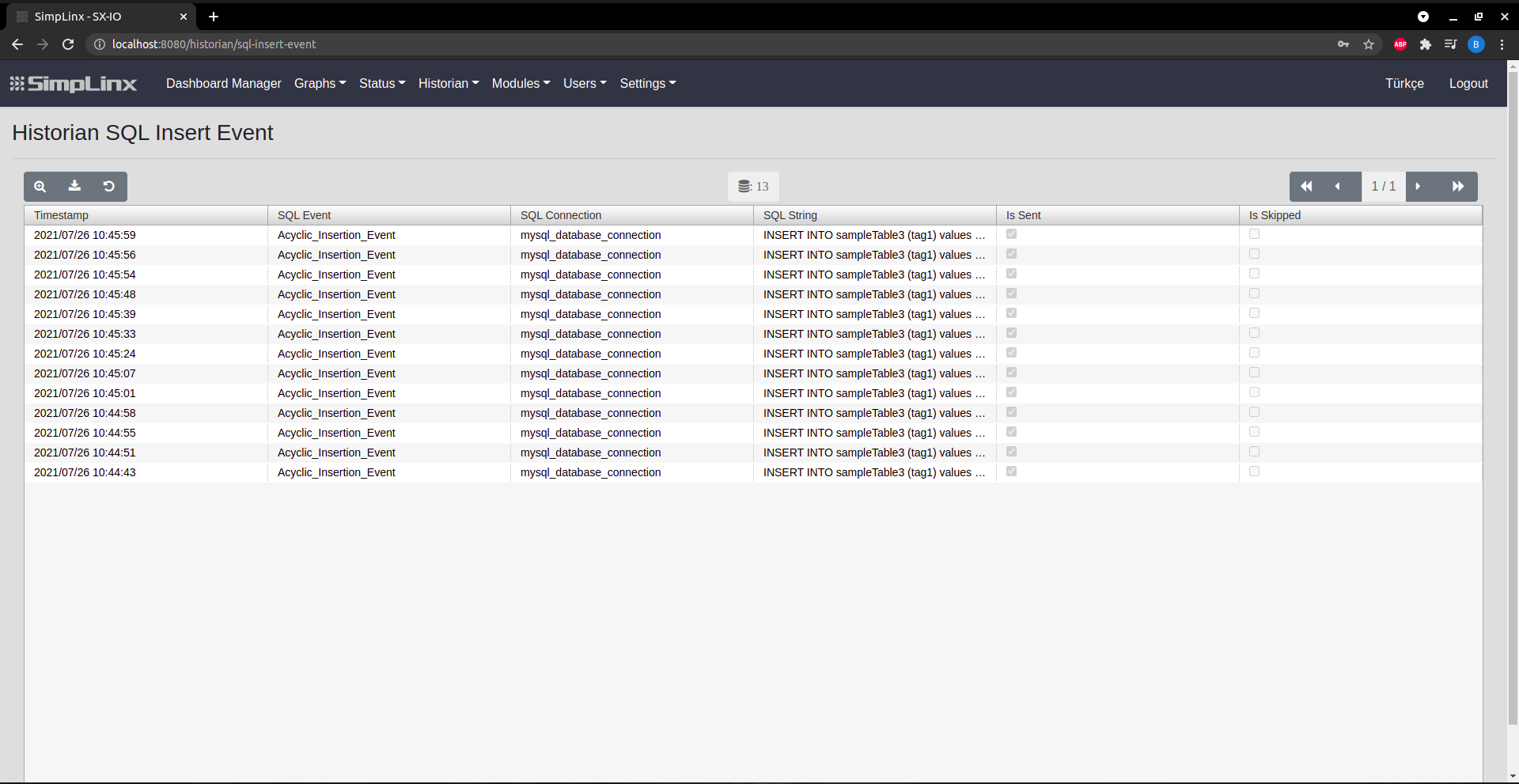 Historian → SQL Insert Events: timestamps, connection name, SQL string, success indicator