
SX-IO — Weintek HMI Data Collection
Overview
Section titled “Overview”Weintek HMIs (cMT, MT8000 series) expose their internal memory (LW — Local Word) and PLC passthrough registers via a Modbus TCP server. SX-IO can poll these registers directly to extract KPIs, production counts, setpoints, and alarm states for cloud forwarding.
Weintek HMI Configuration
Section titled “Weintek HMI Configuration”- In EasyBuilder Pro, open the project and go to System Parameters → Model.
- Enable Modbus TCP/IP Server. Default port: 502.
- Note the address mapping: Weintek LW (local word) registers start at Modbus holding register 0 (address 0). PLC passthrough addresses depend on which PLC device is linked.
- Download the updated project to the HMI.
SX-IO Configuration
Section titled “SX-IO Configuration”- Log in to the SMX-RNS20 web interface → SX-IO → Sources → Add Source → Modbus TCP.
- Enter the Weintek HMI’s IP address, port 502, and Unit ID 1.
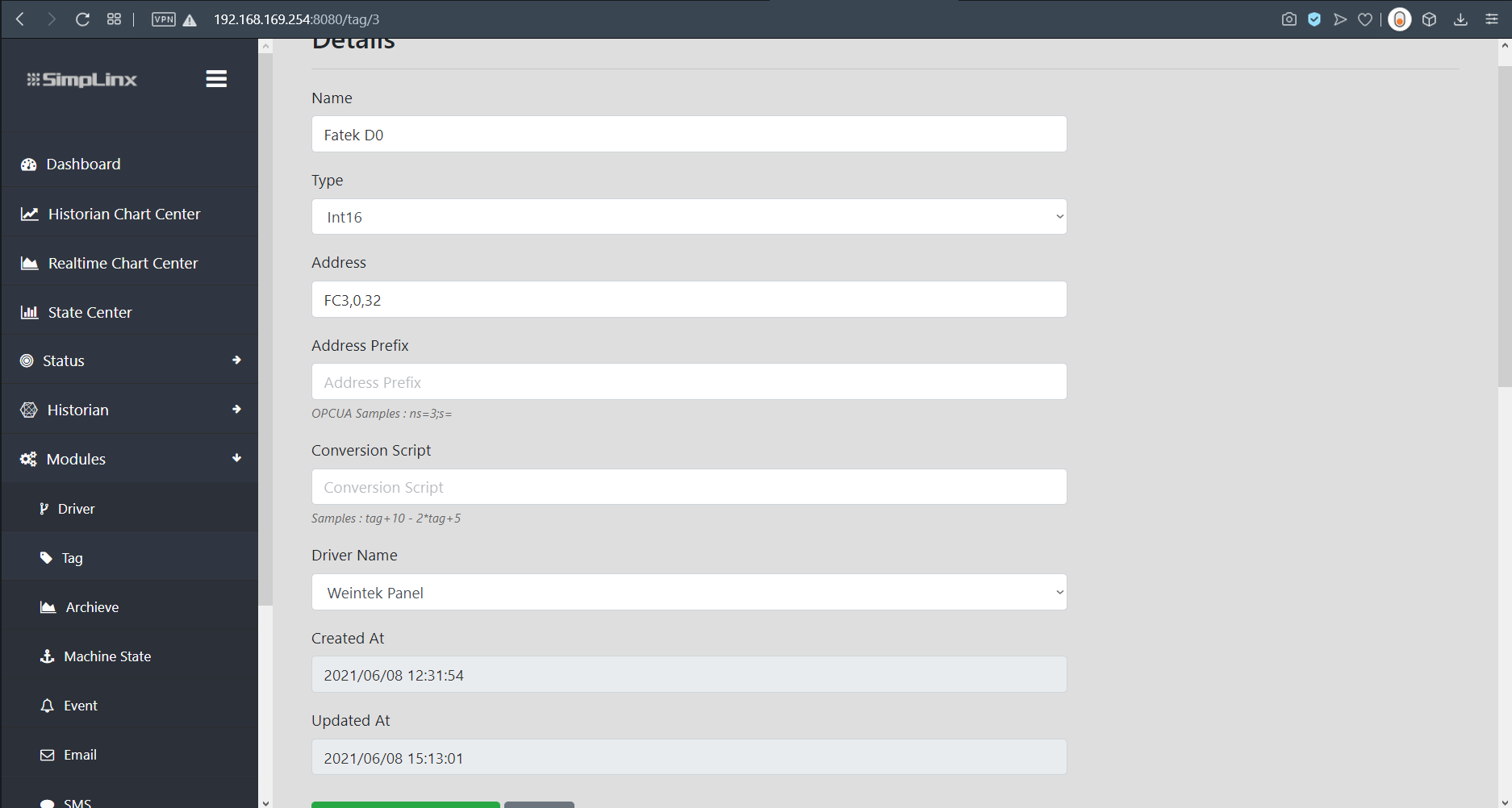
- Add your data points using the appropriate Modbus addresses (LW0 = HR0, LW1 = HR1, etc.).
- Set the polling interval and configure an output destination.
- Save and verify in SX-IO → Monitor.
Screenshots
Section titled “Screenshots”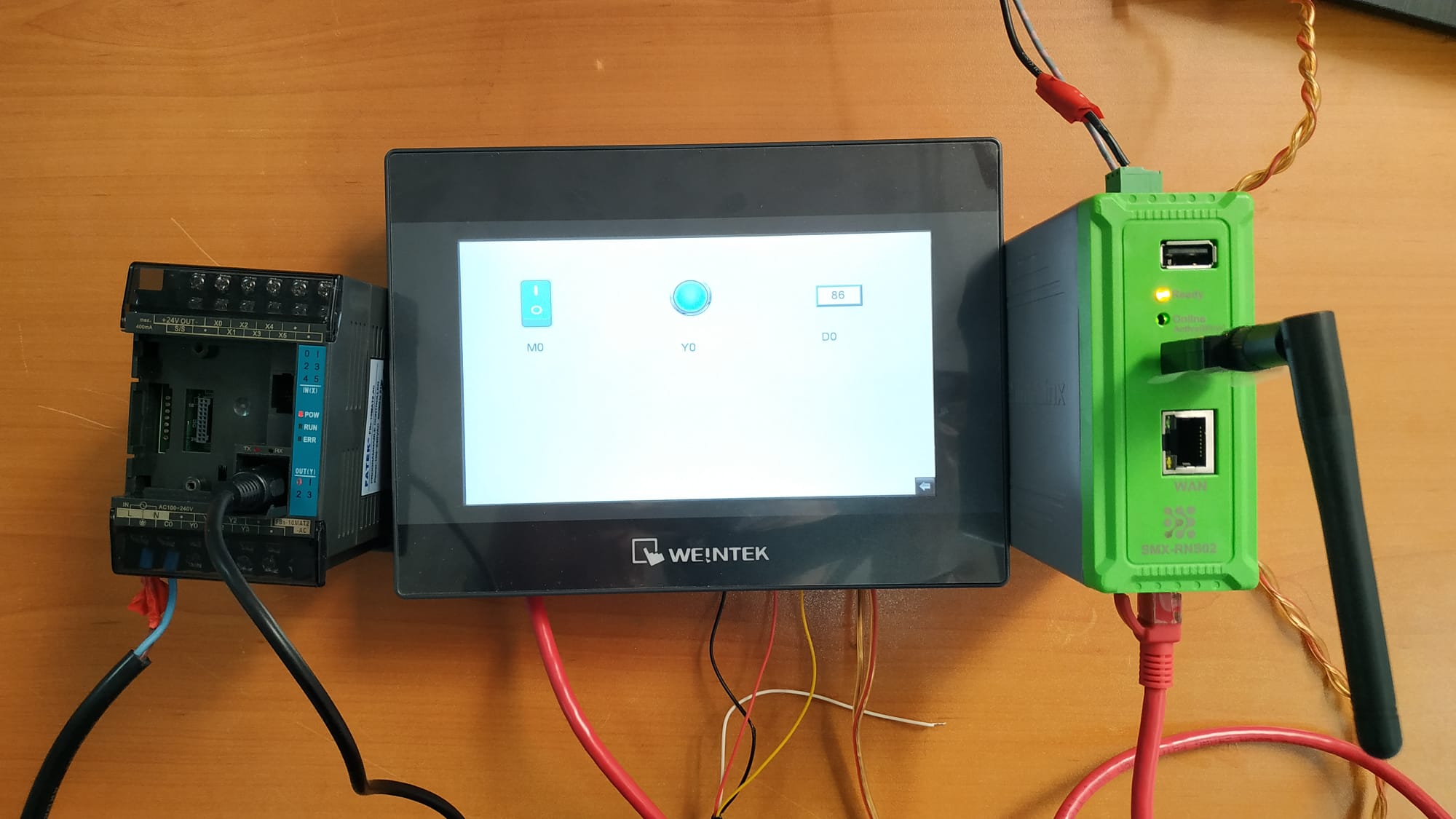 System setup — SMX-RNS20 connected to Weintek MT8071iP panel (Fatek PLC via serial)
 SX-Client — Weintek HMI appears in the connected Ethernet device list
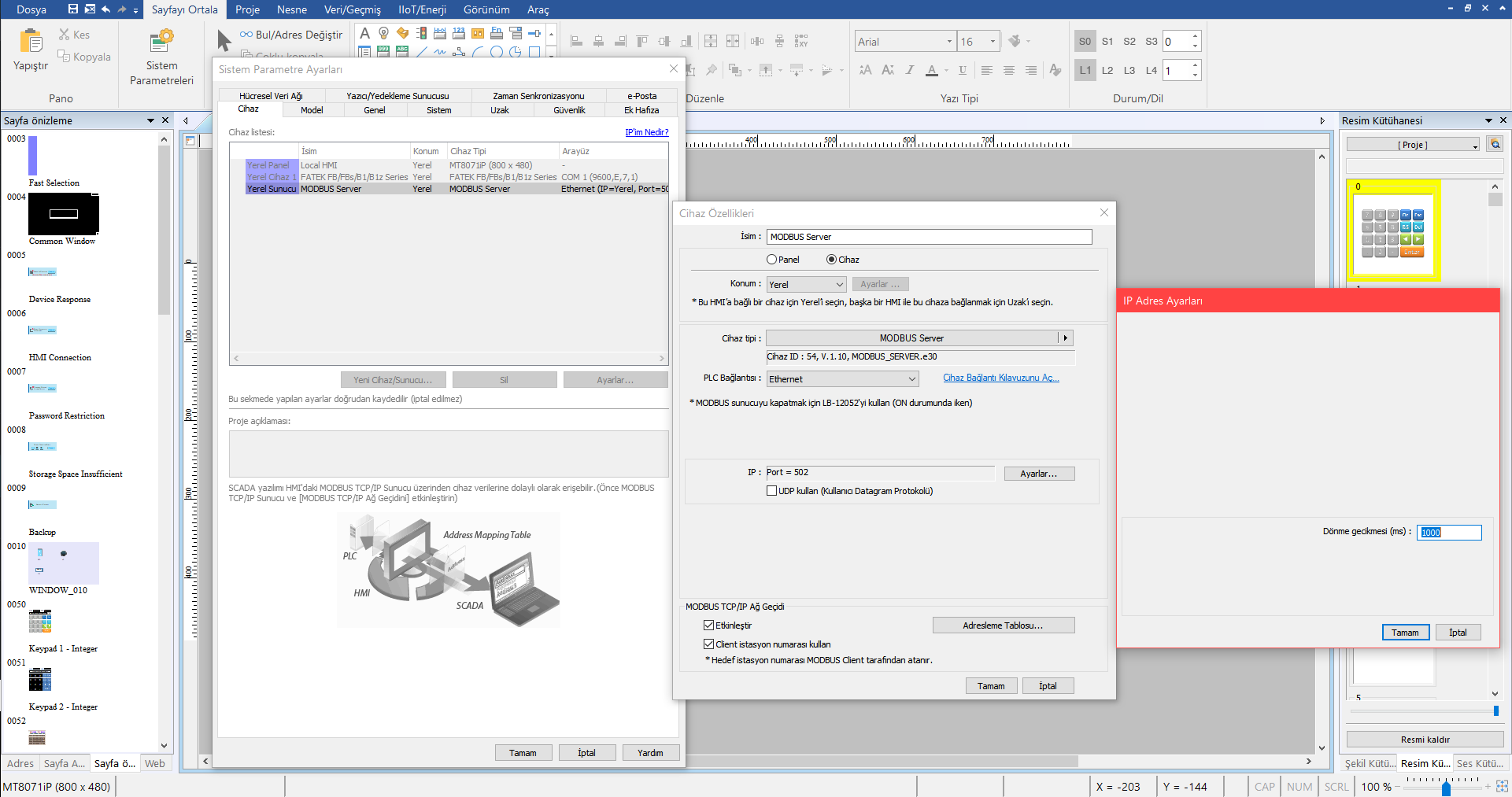 SX-IO — connection to Weintek panel via Modbus TCP
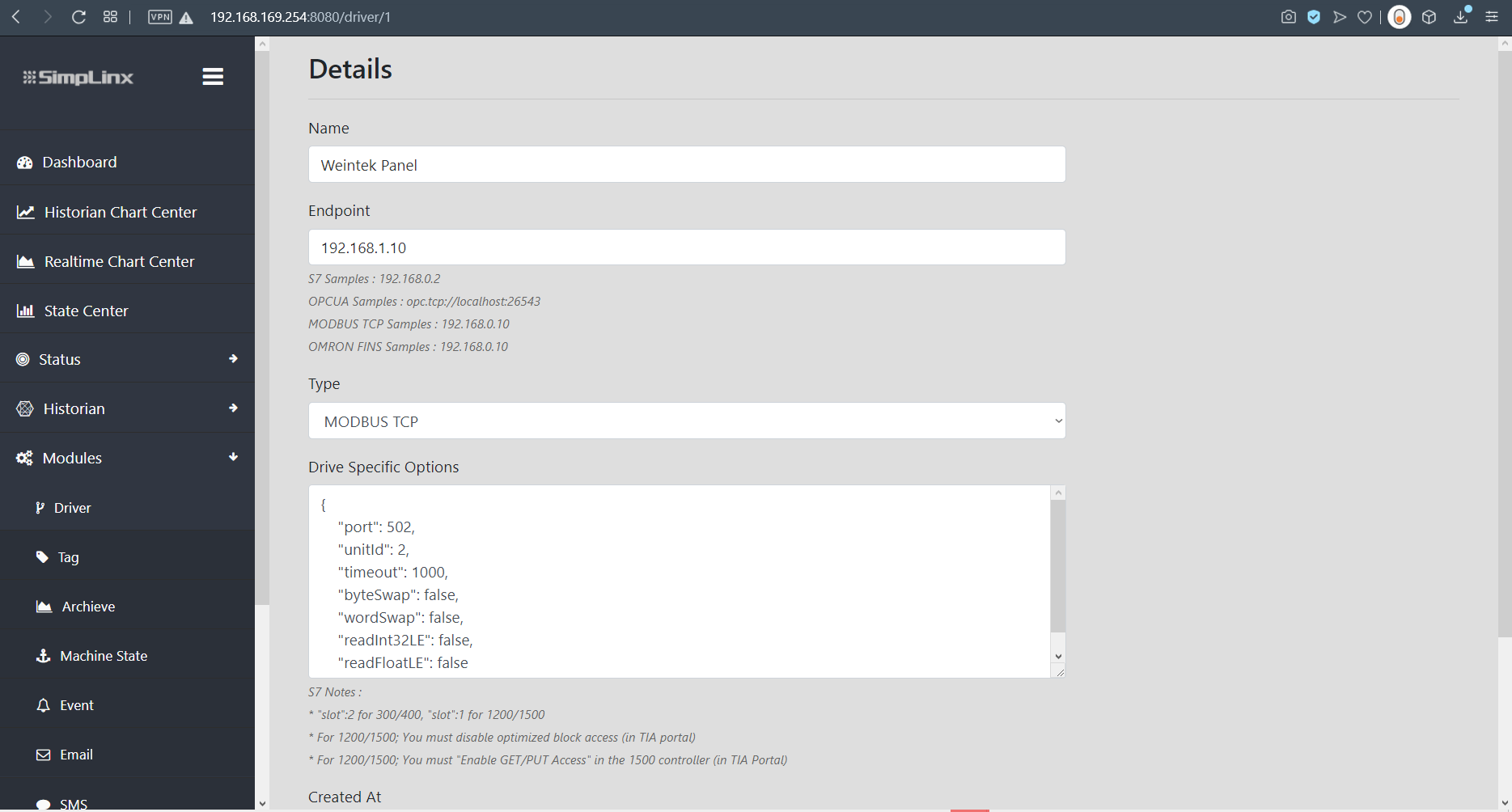 Add new Modbus TCP driver for Weintek HMI
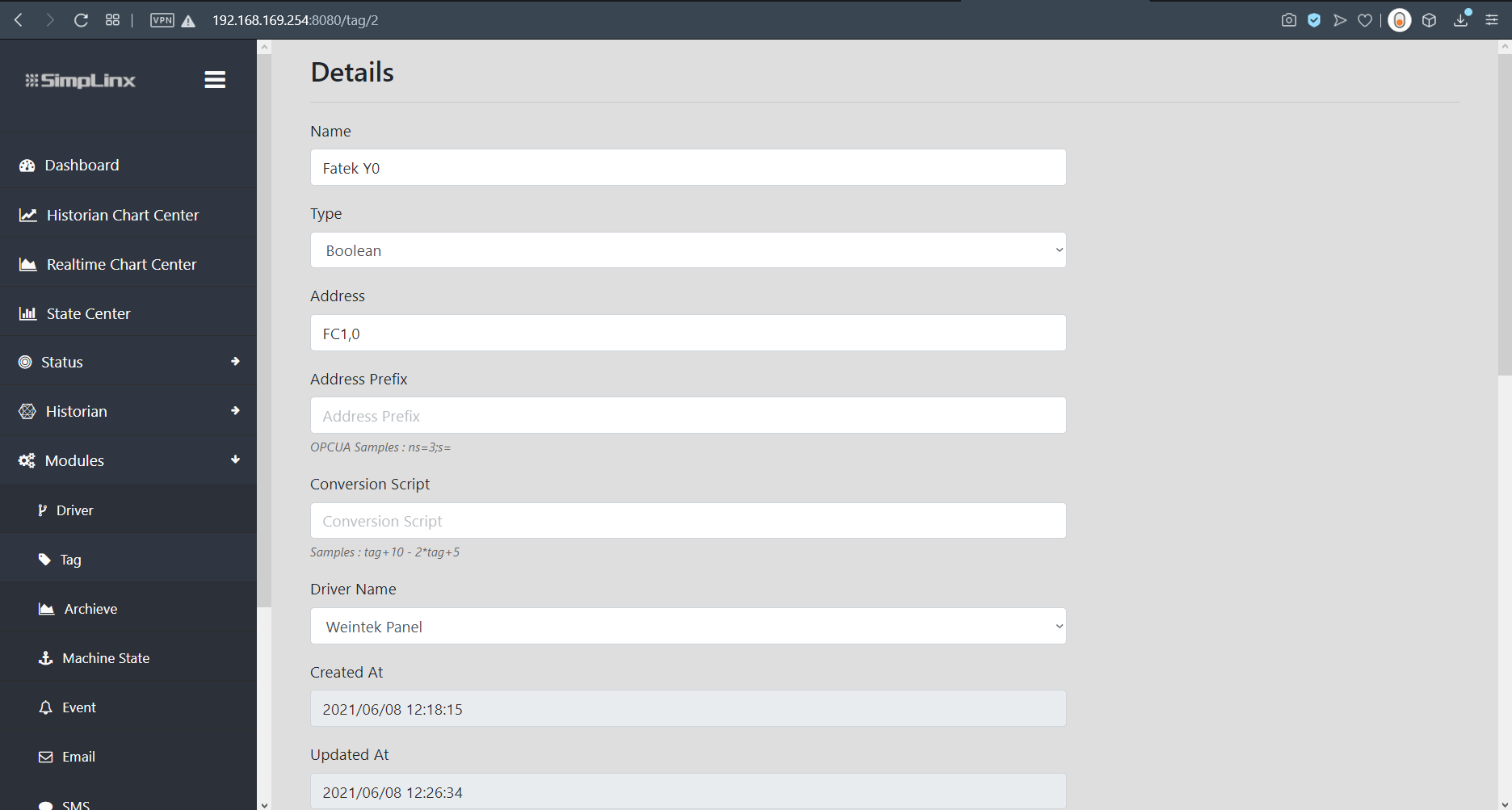 Tag configuration — LW0 = Holding Register 0
 Tag list for Weintek registers
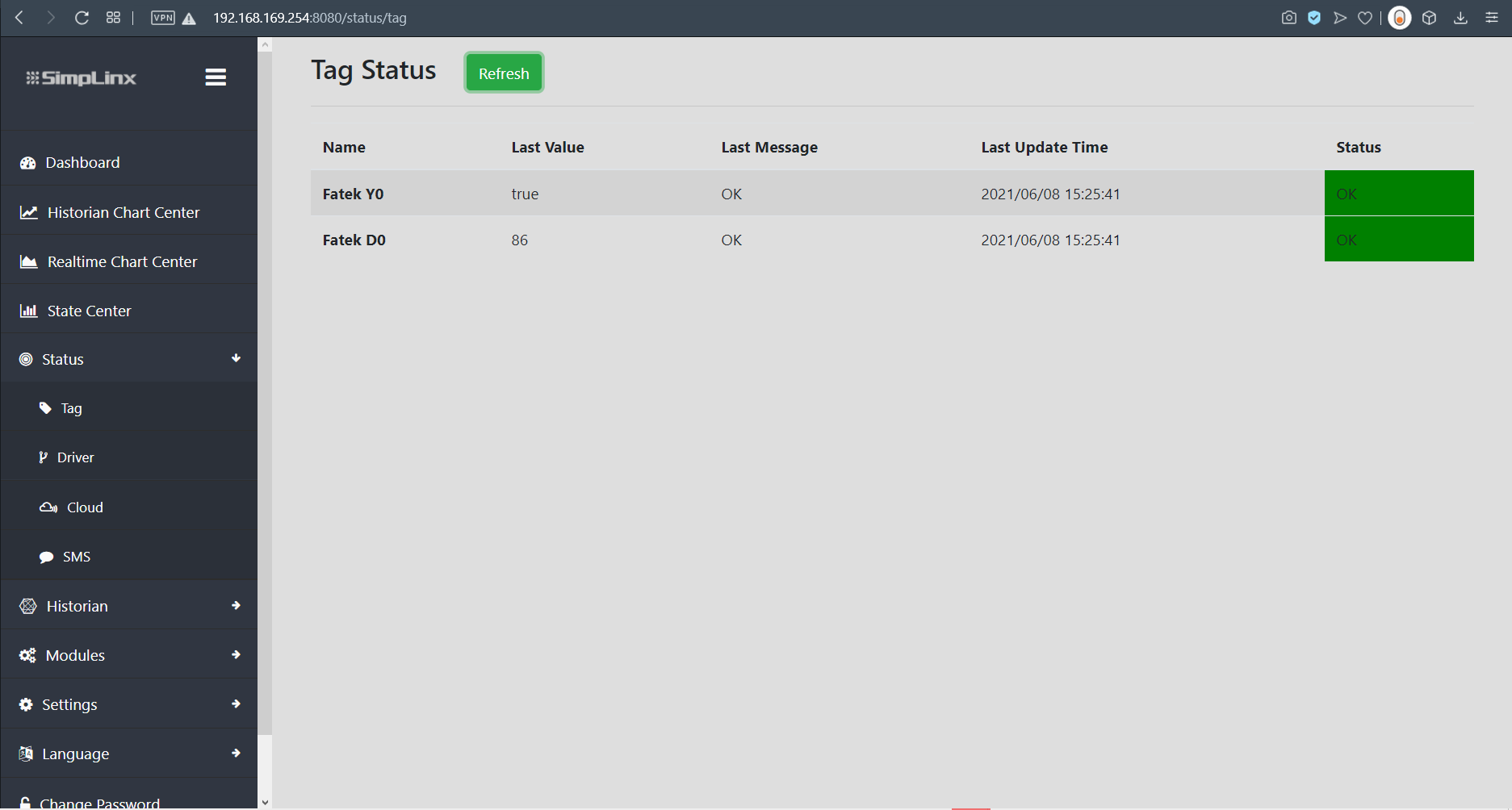 Tag status page — live values from Weintek HMI registers